
How to Change a Lock Combo: Expert Tips for DIY Home Security
Changing a combination lock is one of the most practical and cost-effective security upgrades you can make at home. Whether you’ve lost track of your current combination, moved into a new property, or simply want to refresh your security measures, knowing how to reprogram your lock gives you complete control over access to your valuables. This comprehensive guide walks you through every step of the process, from identifying your lock type to successfully reprogramming it with a new combination.
A combination lock serves as a critical component of your overall home security strategy, protecting everything from storage sheds to garage cabinets. Unlike keyed locks that require replacement when lost, combination locks offer the advantage of instant access modification without calling a locksmith. Understanding the mechanics behind your specific lock type empowers you to maintain optimal security while avoiding unnecessary professional service calls.

Types of Combination Locks
Understanding your specific lock mechanism is the foundation of successful combination changing. Combination locks fall into several distinct categories, each with unique internal mechanisms and adjustment procedures. The three primary types you’ll encounter in residential settings are dial locks, padlocks with combination features, and electronic keypad systems.
Dial combination locks represent the traditional choice for securing gates, cabinets, and storage units. These mechanical devices use rotating numbered dials that align with internal tumblers. The dial typically features numbers from 0 to 39, arranged in a circular pattern. Master Lock, the industry leader, manufactures dial locks that require specific reset procedures depending on the model number. Most residential dial locks use either a three-number combination or a four-number sequence.
Padlock combinations differ from dial locks in their compact design and portability. These locks feature either a dial face or push-button numeric keypad integrated into the lock body itself. Many modern padlocks include reset buttons or screws that allow users to reprogram combinations without specialized tools. Some premium models feature hardened steel bodies and anti-pick technology, making them suitable for high-security applications.
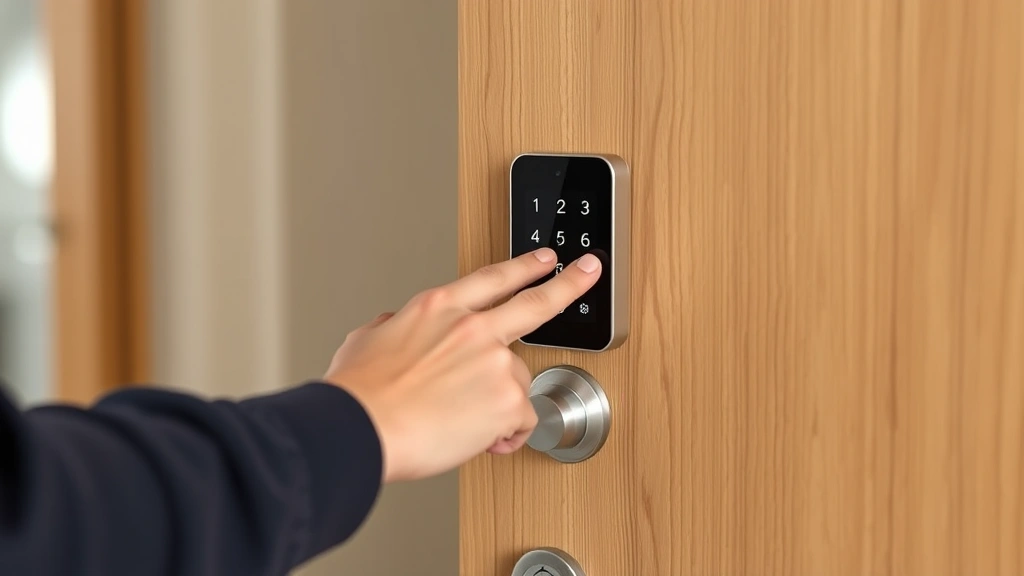
Electronic and digital locks have revolutionized home security by eliminating the need for physical keys or memorized combinations. These locks use battery-powered mechanisms controlled by keypads, biometric readers, or smartphone applications. Changing combinations on electronic locks typically involves accessing a master menu through specific button sequences or using dedicated smartphone apps. These systems often include audit trails showing who accessed the lock and when, providing enhanced security monitoring capabilities.
Tools and Materials You’ll Need
Gathering the correct tools before beginning ensures a smooth and efficient lock combination change. Most DIY enthusiasts can complete this task with items already available in their homes, though a few specialized tools prove invaluable for certain lock types.
Essential tools include:
- Small flathead screwdriver (for accessing reset mechanisms and adjustment screws)
- Your lock’s instruction manual or documentation (critical for model-specific procedures)
- Pen and paper (to record your new combination before installation)
- Needle-nose pliers (useful for manipulating internal components on some padlock models)
- Small hammer (occasionally needed to apply gentle pressure during reset procedures)
- Lubricating spray such as WD-40 (helps free stuck mechanisms without damaging internal parts)
- Clean cloth or rag (for wiping away dust and debris from the lock mechanism)
For electronic locks, you’ll need the original installation documentation or access to the manufacturer’s website for master reset procedures. Many electronic lock manufacturers provide digital guides and video tutorials that walk through specific model instructions. Keep your smartphone nearby if using app-based controls, and ensure the device has adequate battery charge before beginning.
Safety equipment, while often overlooked, should not be ignored. Wear safety glasses when working with metal components that might spring free, and use work gloves to protect your hands from sharp edges. If working on outdoor locks, choose a dry day to prevent moisture from interfering with mechanical operations.
Step-by-Step Instructions for Dial Locks
Dial combination locks represent the most common residential security application. These mechanical devices operate through a series of rotating tumblers that must align precisely with the lock’s internal gates. The standard procedure for changing dial lock combinations follows a consistent pattern, though specific details vary by manufacturer.
Step 1: Locate the Reset Mechanism
Begin by examining your lock’s exterior for a small hole or slot typically found on the back or side of the lock body. This opening provides access to the internal reset mechanism. Consult your lock’s documentation to confirm the exact location, as different manufacturers position these features differently. Some locks feature a recessed hole requiring a specialized tool, while others use an exposed button or lever.
Step 2: Access the Reset Feature
Insert a small flathead screwdriver, Allen wrench, or the manufacturer’s provided reset tool into the hole. Apply gentle, steady pressure without forcing the tool—excessive force can damage internal components and render the lock inoperable. You should feel slight resistance as the tool engages the internal reset mechanism. Many locks require the tool to be turned or pushed in a specific direction; check your manual for these details.
Step 3: Clear the Current Combination
While holding the reset tool in place, rotate the dial several complete revolutions in both directions. This motion clears the internal tumblers and prepares them for new programming. Perform at least three full rotations in each direction to ensure complete clearing. You may feel or hear slight clicking as the mechanism resets—this is normal operation.
Step 4: Program Your New Combination
Many dial locks use a three-number combination sequence. While still holding the reset tool in the reset position, rotate the dial to your first chosen number. Stop when the number aligns with the reference mark on the lock body, typically a small line or indicator at the top. Move to the second number and repeat the process. Finally, rotate to your third number. Perform this sequence slowly and deliberately to ensure accurate registration.
Step 5: Verify and Test
Release the reset tool and rotate the dial several times to clear the mechanism. Now test your new combination by rotating to each number in sequence. The lock should open when you pull the shackle or turn the bolt. If the lock doesn’t open, repeat the process from step one, as the combination may not have registered properly. Document your new combination in a secure location—a password manager or encrypted note on your phone works well.
Changing Padlock Combinations
Padlocks offer greater convenience for frequently accessed areas, as you can carry them and adjust combinations without removing them from their mounting locations. Most modern padlocks feature either a reset button on the back or a small access port for combination adjustment.
Button-Reset Padlocks
Locate the small reset button, typically positioned on the back of the lock body. Press and hold this button while rotating the dial or entering a default combination (usually 0-0-0 for numeric models). Continue holding the button while you enter your new desired combination. Release the button, and the lock should now respond only to your new combination. Test the lock several times to ensure it operates correctly before relying on it for security.
Screw-Access Padlocks
Some premium padlock models feature a small access screw rather than a reset button. Using an appropriately sized screwdriver, carefully remove this screw and set it aside in a secure location. This action typically opens an internal panel or lever mechanism. Consult your lock’s manual for the specific procedure, as different manufacturers design these mechanisms differently. After adjusting the internal components according to your manual’s instructions, carefully reinstall the screw without over-tightening, which could strip the threads.
Numeric Keypad Padlocks
Digital padlocks with numeric keypads often feature a master code that provides access to programming mode. Enter the master code (typically provided in the documentation), and the lock should emit a beep or flash indicating programming mode activation. Follow the on-screen prompts or manual instructions to enter your new combination. Most systems require you to confirm your new code by entering it twice to prevent accidental programming errors.
Digital and Electronic Locks
Electronic locks represent the cutting edge of residential security, offering features like temporary access codes, remote control capabilities, and detailed access logs. These sophisticated systems require different approaches than mechanical locks.
Smart Locks with Keypads
Most electronic locks feature a master code that must be entered to access programming functions. This code is typically provided in the documentation or printed on a sticker inside the battery compartment. Enter the master code, and the lock should indicate programming mode through lights or sounds. Navigate through the menu options using the numeric keypad to select “change code” or “program new user.” Enter your new desired code twice to confirm, and the lock should acknowledge successful programming.
App-Based Smart Locks
Smartphone-controlled locks offer maximum flexibility and security. Download the manufacturer’s dedicated app on your mobile device and create an account using the lock’s serial number. Once paired with your lock, the app provides options to create, modify, or delete access codes. Generate temporary codes for guests or service providers, each with specific validity periods. The app maintains detailed logs showing who accessed the lock and at what times, providing comprehensive security monitoring.
Biometric Electronic Locks
Fingerprint or facial recognition locks eliminate the need for codes entirely. Access the lock’s programming menu by entering the master code or using the manufacturer’s app. Register your fingerprints or facial data by following the on-screen prompts. Most systems allow multiple users, enabling you to grant access to family members or trusted individuals. Periodically update biometric data to account for aging or changes in fingerprint patterns due to work or environmental factors.
Common Mistakes to Avoid
Understanding frequent errors helps ensure your lock combination change succeeds on the first attempt. These common pitfalls cause frustration and can result in lock damage requiring professional service or replacement.
Forcing Components
The most damaging mistake involves applying excessive force to reset mechanisms or internal components. Combination locks operate through precise mechanical tolerances; forcing any part can bend or break internal tumblers, rendering the lock permanently inoperable. Always use gentle, steady pressure, and if resistance feels excessive, stop and consult your lock’s documentation rather than pushing harder.
Skipping Documentation Review
Each lock manufacturer designs unique internal mechanisms with specific reset procedures. Attempting to change a combination without consulting the manual often results in unsuccessful programming. Modern lock manufacturers provide comprehensive documentation through their websites, YouTube tutorials, and customer service teams. Five minutes spent reviewing this information prevents thirty minutes of troubleshooting.
Inadequate Testing
Programmers often test their new combinations only once before considering the task complete. Always test your new combination at least five times in succession to ensure reliable operation. This practice confirms that the combination registered properly and the lock mechanism functions consistently. Test from both the locked and unlocked positions when applicable.
Ignoring Battery Status
Electronic locks fail silently when batteries deplete. Before programming a new combination on any electronic lock, replace batteries with fresh alkaline units. Test the lock with the new batteries installed to ensure adequate power for operation. Mark your calendar for quarterly battery checks, and replace them annually regardless of apparent charge status.
Poor Documentation Practices
Recording your new combination in obvious locations like sticky notes on the lock itself defeats the security purpose entirely. Store combinations in password managers, encrypted notes, or a secure physical location separate from the lock. Consider using a backup combination for emergency access, storing it with a trusted family member or in a secure home safe.
Maintenance and Security Best Practices
Proper maintenance extends lock lifespan and ensures reliable operation when security depends on it. These practices complement your overall home security approach.
Regular Cleaning and Lubrication
Combination locks accumulate dust, debris, and corrosion that interferes with smooth operation. Monthly cleaning with a soft brush removes surface contaminants. Apply light lubricating spray to the dial and shackle mechanism, wiping away excess with a clean cloth. Avoid over-lubrication, which attracts dust and can gum up internal components. For outdoor locks, consider protective covers that shield mechanisms from weather while allowing access.
Combination Security Strategies
Choose combinations using numbers with personal significance but not obvious to potential intruders. Avoid birthdates, anniversaries, or sequential numbers like 1-2-3. Consider using the same combination across multiple locks for convenience, but maintain separate combinations for high-security applications like safes or tool storage. Change combinations annually or whenever you suspect someone may have observed you entering the code.
Environmental Considerations
Harsh weather conditions accelerate lock deterioration. Outdoor locks benefit from protective covers, regular cleaning, and seasonal maintenance. Salt air, extreme temperature fluctuations, and moisture cause corrosion that compromises mechanical operation. Inspect locks monthly in coastal or harsh climates, and apply rust-preventative treatments to metal components. Consider upgrading to stainless steel or weatherproof models for exposed outdoor installations.
Integration with Broader Security
Combination locks work most effectively as part of a comprehensive security system. Pair mechanical locks with DIY security measures like motion-sensor lighting and security cameras. Layer your defenses so that compromising one lock doesn’t grant complete access to your property. Consider professional assessment of your security posture, particularly for high-value item storage or business applications.
Professional Consultation
If you encounter locks that won’t respond to standard procedures, or if you’ve accidentally damaged a lock mechanism, contact a professional locksmith rather than continuing troubleshooting. The Associated Locksmiths of America maintains directories of certified professionals in your area. Professional assessment costs far less than replacing damaged locks or addressing security breaches resulting from non-functional security devices.
Frequently Asked Questions
Can I change a combination lock without the original manual?
Yes, most manufacturers provide documentation online through their websites. Search using your lock’s model number, visible on the lock body or packaging. If you can’t locate the manual, contact the manufacturer’s customer service department directly—they typically respond within 24 hours with detailed instructions or links to digital documentation.
What if I forget my new combination immediately after programming?
If you haven’t tested the lock yet, you can often reset and reprogram using the original procedure. Keep a written record of your combination in a secure location before considering the task complete. For electronic locks, the app maintains records of programmed codes, allowing you to review them even if you’ve forgotten the exact sequence.
How often should I change my lock combinations?
Security best practices recommend changing combinations annually or whenever you suspect compromise. If multiple people know the combination, change it when anyone moves out or leaves employment. For high-security applications, change combinations quarterly or whenever access requirements change.
Are there locks I shouldn’t attempt to change myself?
High-security locks, particularly those used in commercial applications or on safes, often feature anti-tampering mechanisms that trigger alarms if accessed improperly. If your lock displays warning labels or features unusual mechanisms, consult a professional locksmith before attempting changes. Forcing these locks can trigger security alerts or permanently disable the mechanism.
Can electronic locks be reset if I forget the master code?
Most electronic locks include a master override procedure documented in the manual. This typically involves accessing the battery compartment and performing specific button sequences. If you’ve lost documentation, contact the manufacturer with proof of ownership—they can often provide reset procedures via email or phone.
What’s the difference between changing a combination and resetting a lock?
Changing a combination involves programming a new access code while retaining the lock’s functionality. Resetting typically means returning a lock to factory default settings, erasing all programmed combinations. Resetting is useful if you’ve lost all access codes, but it requires documented ownership verification for security reasons.


