How to Cancel a CashApp Payment: Expert Tips Inside
CashApp has revolutionized peer-to-peer payments, making money transfers faster and more convenient than ever. However, mistakes happen—whether you’ve sent money to the wrong recipient, changed your mind about a purchase, or discovered an unauthorized transaction. Understanding how to cancel a CashApp payment quickly and effectively can save you significant stress and financial loss. This comprehensive guide walks you through every scenario and solution available to CashApp users.
Canceling a CashApp payment isn’t always straightforward, and your options depend on the payment’s current status. Unlike some financial transactions that can be reversed with a single click, CashApp payments operate on a system where timing is critical. The sooner you act after realizing a mistake, the better your chances of recovering your funds. We’ll explore the technical steps, best practices, and preventative measures that can help you navigate this process with confidence.

Understanding CashApp Payment Status
Before attempting to cancel a CashApp payment, you need to understand the different payment statuses and what they mean. Every transaction on CashApp moves through specific stages, and your ability to cancel depends entirely on which stage your payment has reached. The platform provides visual indicators that show you exactly where your money stands in the transaction process.
Pending payments are your best opportunity for cancellation. When you send money and the recipient hasn’t claimed or accepted it yet, the transaction remains in limbo. This is the ideal window—typically lasting up to 24 hours—when you have maximum control. The payment appears in your transaction history with a pending status, and you’ll see a cancel option available.
Completed payments are another matter entirely. Once a recipient has claimed the money or the payment has been deposited into their account, cancellation becomes impossible through normal channels. At this point, you’ll need to request a refund directly from the recipient or pursue other recovery methods. CashApp’s system is designed to prioritize recipient protection, which means completed transactions are essentially final.
Failed payments occur when technical issues prevent the transaction from going through. These automatically refund to your account within 24 hours, so no action is required. You’ll receive a notification explaining why the payment failed, and your funds return to your available balance.

How to Cancel a Pending CashApp Payment
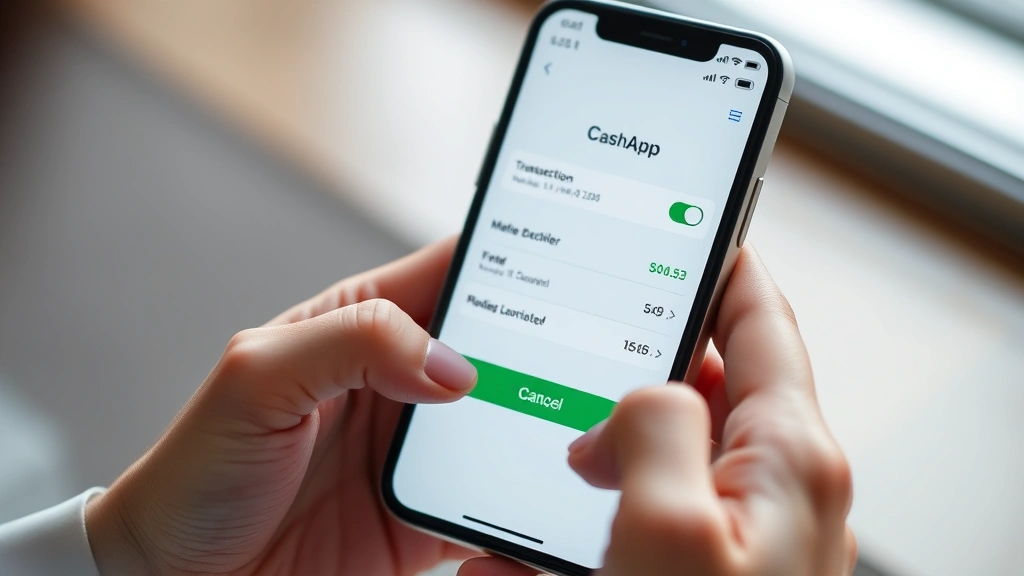
If you’ve caught your payment before it’s been claimed, you’re in the best possible position. Follow these precise steps to cancel a pending CashApp payment on your mobile device:
- Open the CashApp application on your smartphone
- Navigate to the Activity tab (typically shown as a clock or history icon)
- Locate the specific payment you want to cancel by scrolling through recent transactions
- Tap on the payment to view its full details
- Look for the “Cancel” button—this only appears if the payment is still pending
- Confirm the cancellation when prompted
- Verify that the funds have returned to your available balance
The cancellation process is remarkably quick, usually completing within seconds. You should see an immediate notification confirming the transaction has been reversed. Check your account balance to ensure the money is back in your wallet. The entire process typically takes less than a minute, making it crucial to act as soon as you realize a mistake.
Important timing consideration: CashApp typically allows cancellations within the first 24 hours after sending a payment. However, if the recipient has already claimed the funds or if the payment has been deposited, the cancel button disappears. This is why speed is absolutely essential when you discover an error.
What to Do If Payment Already Sent
If your payment has already been completed and the recipient has claimed the funds, your options become more limited but not impossible. This is where diplomacy and documentation become your best tools. Here are your available approaches:
Direct communication with the recipient remains your most effective option. Contact the person or business you sent money to and explain the situation clearly. Most legitimate recipients will work with you to resolve the issue, especially if you can explain that it was sent in error. Request a refund and be prepared to explain why you need it returned. Keep all communications documented in case you need to escalate the matter.
Dispute the transaction through CashApp is your next step if direct communication fails. Open the CashApp app, go to Activity, select the transaction, and look for a “Report Issue” or “Get Help” option. Explain that the payment was sent in error or that you didn’t authorize it. CashApp’s support team will investigate and may be able to recover your funds, though this process can take several days or even weeks.
If you believe the payment was fraudulent or you were scammed, you have additional protections. CashApp maintains a fraud investigation process, though it’s important to note that the platform has become increasingly stringent about which cases qualify for reimbursement. Document everything: screenshots of conversations, confirmation of the payment, and any evidence supporting your claim.
For purchases made through CashApp, you may have buyer protection options if the goods or services were never delivered. This is different from simple payment errors, and CashApp treats these cases differently. You’ll need to provide evidence that the transaction was fraudulent or that the seller failed to deliver as promised.
Reporting Unauthorized Transactions
If someone else sent money from your CashApp account without permission, you’re dealing with a security breach that requires immediate action. This is distinct from canceling your own payment and involves CashApp’s fraud protection protocols.
First steps for unauthorized transactions: Immediately change your CashApp password and enable all available security features. Go to Settings, select Security, and update your login credentials. Consider enabling two-factor authentication if you haven’t already. This prevents further unauthorized access while you address the fraudulent transaction.
Report the unauthorized transaction to CashApp support as quickly as possible. The sooner you report it, the better your chances of recovery. Go to your Activity tab, find the suspicious transaction, and select “Report Issue.” Choose the option indicating the transaction was unauthorized and provide as much detail as possible about when you first noticed it and any suspicious activity preceding it.
CashApp typically investigates unauthorized transaction claims and may refund your money if they determine fraud occurred. However, the platform’s reimbursement policies have become stricter in recent years. They may ask you questions about your account security practices and whether you shared your login information with anyone.
Document everything related to the unauthorized transaction: the exact time and date it occurred, the recipient’s details, and any other suspicious account activity. This documentation strengthens your case and helps CashApp’s support team investigate more effectively. Take screenshots of the transaction details and any error messages or unusual account notifications you received.
Preventing Future Payment Mistakes
The best approach to CashApp payment issues is preventing them from occurring in the first place. Implementing these strategies significantly reduces the likelihood of costly mistakes.
Double-check recipient information before confirming any payment. CashApp shows you the recipient’s name and profile picture—verify this matches who you intend to send money to. Scammers sometimes create accounts with names similar to legitimate contacts. Take an extra few seconds to confirm you’re sending to the correct person.
Use CashApp’s contact list features when available. Sending to saved contacts reduces the risk of typos or confusion about who you’re paying. When you save someone’s CashApp details, you’re creating a verified connection that’s harder to accidentally misuse.
Start with smaller test amounts if you’re sending money to a new contact for the first time. Send a small sum to confirm the account is legitimate and the recipient receives it correctly. Once verified, you can send larger amounts with confidence. This approach protects you from both accidental errors and deliberate fraud.
Enable transaction notifications in your CashApp settings. Immediate alerts when money leaves your account give you the fastest possible window to catch and cancel mistakes. Many users miss the cancellation window simply because they didn’t realize a payment had gone through.
Set spending limits if CashApp allows it for your account type. Some accounts can configure daily transaction limits, which prevents large accidental payments from going through. This extra layer of protection is particularly valuable if you share your phone with others or frequently access CashApp in rushed situations.
Review your transaction history regularly. Checking your activity weekly helps you spot unauthorized transactions quickly, maximizing your chances of recovery. This practice also helps you catch patterns that might indicate your account has been compromised.
Contacting CashApp Support
When standard cancellation methods don’t work, you’ll need to contact CashApp’s support team. Understanding how to reach them effectively and what information to provide can significantly improve your chances of resolution.
In-app support is your primary channel. Open CashApp, tap your profile picture, scroll to “Cash Support,” and select “Something’s Wrong.” This routes you directly to CashApp’s support system with your account information already included. Describe your issue clearly and include the transaction ID, amount, recipient details, and timestamp of the payment.
The CashApp support team typically responds within 24-48 hours. However, resolution times vary significantly depending on the complexity of your case. Fraud investigations can take weeks, while simple account issues might resolve within days. Be patient and check your notifications regularly for responses.
When communicating with support, provide specific details rather than vague descriptions. Instead of “I sent money by mistake,” explain “I sent $150 to John Smith at 3:45 PM on January 15th when I meant to send it to Jane Smith.” Include transaction IDs when available, and explain any steps you’ve already taken to resolve the issue.
If your initial support request doesn’t resolve the issue, you can escalate it. Request to speak with a supervisor or ask for your case to be reviewed again. While CashApp doesn’t offer phone support to most users, persistence through the in-app system often leads to escalation for complex cases.
For serious issues involving fraud or significant amounts of money, you may consider filing a complaint with the Consumer Financial Protection Bureau (CFPB). This creates an official record and can pressure CashApp to take your case more seriously.
Understanding your rights as a CashApp user is important. The platform operates under certain financial regulations, and you have protections under the Electronic Funds Transfer Act. While CashApp isn’t a traditional bank, it’s required to follow specific consumer protection rules regarding unauthorized transactions and dispute resolution.
FAQ
Can I cancel a CashApp payment if the recipient hasn’t cashed it?
Yes, if the payment is still pending (typically within 24 hours), you can cancel it through the Activity tab. Open the pending transaction and tap Cancel. However, once the recipient claims the money or it’s been deposited, you cannot cancel it through the app.
How long does it take to get a refund after canceling a CashApp payment?
Refunds from canceled payments are typically instantaneous. The funds return to your available balance within seconds of confirming the cancellation. You should see the money back in your account almost immediately.
What should I do if I sent money to a scammer?
Contact CashApp support immediately through the in-app help system and report the transaction as fraudulent. Provide all details about how you were scammed. File a dispute and report the scammer’s account. CashApp may refund your money if they determine fraud occurred, but results vary significantly.
Can CashApp reverse a payment after 24 hours?
The standard cancellation window is 24 hours, but CashApp may still investigate claims beyond this timeframe. If you report unauthorized activity or fraud after 24 hours, support can still review your case and potentially recover funds, though success rates decrease significantly.
Is CashApp responsible if I send money to the wrong person?
CashApp is generally not responsible for user errors where you intentionally send money to an incorrect recipient. However, if the recipient is uncooperative about refunding, you can dispute the transaction and request CashApp investigate. The outcome depends on the specific circumstances.
What’s the best way to prevent sending money to the wrong CashApp user?
Always verify the recipient’s name and profile picture before confirming payment. Use your saved contacts when possible. Send a small test amount first to new recipients. Enable transaction notifications so you’re immediately aware of any payments leaving your account.
Can I get my money back if I accidentally sent it to someone I know?
Yes, contact that person directly and request a refund. Most people will cooperate if you explain it was an accident. If they refuse, you can report the transaction to CashApp support, though the platform may not intervene in disputes between people who know each other.
Does CashApp have purchase protection like credit cards?
CashApp offers limited buyer protection for certain types of transactions, but it’s not as comprehensive as credit card protections. You have the best protection when making purchases from businesses using CashApp’s dedicated features. Personal payments between individuals have minimal protection.


