
How to Change a Combination Padlock: Locksmith Tips Inside
A combination padlock is one of the most versatile security devices you’ll find in homes, garages, storage units, and tool sheds. Whether you’ve forgotten your current combination, inherited a lock with an unknown code, or simply want to update your security setup, knowing how to change a combination padlock is an essential DIY skill. Unlike traditional keyed locks, combination padlocks offer the convenience of keyless entry—but only if you know the proper procedure to reprogram them.
This comprehensive guide walks you through the process of changing your combination padlock, explores different lock types, and provides expert locksmith tips to ensure you maintain security while updating your access codes. Whether you’re protecting valuable tools, securing a storage facility, or upgrading your home security measures, mastering this skill takes just a few minutes and requires minimal tools.
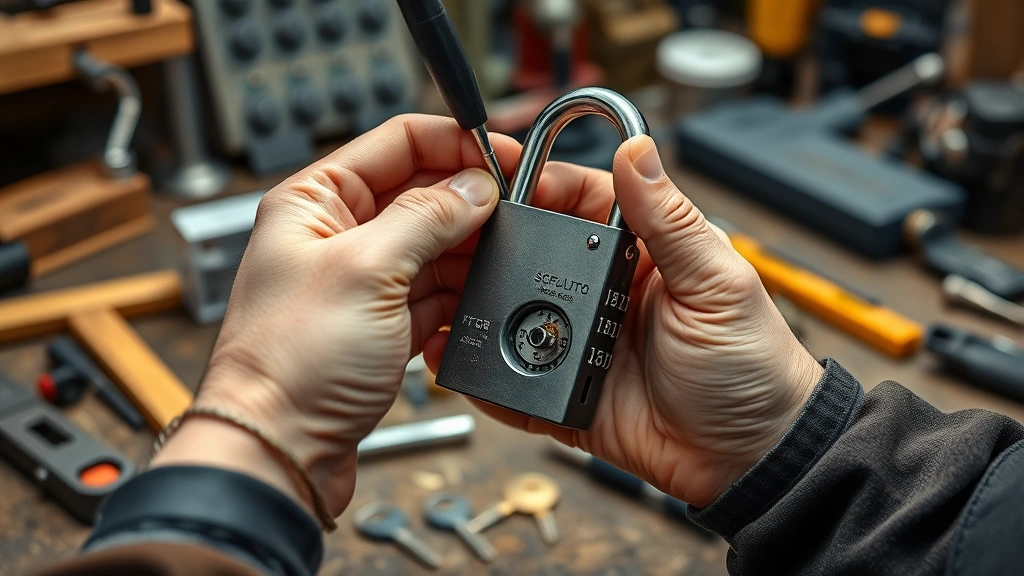
Understanding Combination Padlock Types
Before you begin changing your combination padlock, it’s crucial to identify which type of lock you have. The three most common varieties include dial combination locks, push-button combination locks, and electronic keypad locks. Each operates on different principles and requires distinct procedures for reprogramming.
Dial Combination Locks feature a rotating dial with numbers typically ranging from 0 to 39. These mechanical locks are the most common type found in schools, gyms, and personal storage applications. The internal mechanism consists of wheels and a fence that align when the correct sequence is entered. Dial locks are durable, require no batteries, and function reliably in extreme temperatures.
Push-Button Combination Locks use a series of buttons that must be pressed in the correct sequence to unlock. These locks are often found on briefcases, lockers, and padlocks designed for travel. They’re compact, weather-resistant, and provide a modern alternative to dial mechanisms. Many push-button locks allow for easy combination changes without requiring tools or disassembly.
Electronic Keypad Locks represent the newest technology in combination security. These battery-powered devices feature digital keypads and often include features like temporary access codes, audit trails, and remote management. While more expensive, electronic locks offer superior security and convenience for high-traffic areas.
Understanding your lock type is the first step toward successfully changing your combination. Check the manufacturer’s documentation or examine the lock’s physical characteristics to determine which category your padlock falls into. This information directly affects the procedures you’ll follow.

Tools and Materials You’ll Need
Changing a combination padlock requires minimal tools, and most homeowners already have these items in their DIY toolkit. Having the right materials ensures a smooth, efficient process without frustration or damage to your lock.
- Screwdrivers (Phillips and flathead) – needed for accessing the lock’s internal mechanism
- Flashlight or headlamp – provides visibility inside the lock body, especially for dial locks
- Manufacturer’s documentation – contains specific instructions for your lock model
- Lubricant (WD-40 or silicone spray) – helps smooth dial rotation and button operation
- Small brush or compressed air – cleans debris from the lock mechanism
- Notepad and pen – records your old combination before changes
- Safety glasses – protects eyes when working with small springs or components
Before beginning any work, locate your lock’s model number and serial number. This information is typically printed on the lock body or packaging. Many manufacturers provide free replacement combination information if you can verify ownership, making this documentation invaluable if you get stuck.
Step-by-Step Guide to Changing Your Combination
The general process for changing a combination padlock involves accessing the lock’s internal reset mechanism, clearing the current combination, and programming a new one. While specific steps vary by lock type, these fundamental principles apply across most mechanical padlocks.
Step One: Verify You Own the Lock
Before proceeding, confirm that you have legitimate access rights to the lock. If you’ve inherited the lock or found it, contact the manufacturer with proof of ownership. Attempting to change a lock you don’t own raises legal and ethical concerns. Manufacturers maintain records and can often provide combination information to verified owners.
Step Two: Locate the Reset Mechanism
Most padlocks feature a small reset button, lever, or screw located on the body. For dial locks, this is typically on the back or bottom. For push-button locks, look for a recessed button marked “reset” or “clear.” Examine your lock carefully—some manufacturers hide the reset mechanism beneath a label or protective cover. Consult your manual if you cannot locate it immediately.
Step Three: Clear the Current Combination
Using a small screwdriver or the appropriate tool, press and hold the reset button or lever for 3-5 seconds. You may hear a click or feel resistance. This action clears the lock’s memory and prepares it for a new combination. Some locks require you to rotate the dial or press buttons during this process; follow your manual’s specific instructions.
Step Four: Enter Your New Combination
With the reset mechanism activated, enter your desired new combination. Most locks require you to press buttons in sequence or rotate the dial to specific numbers while holding the reset button. The lock will register each input, and you’ll typically hear or feel confirmation clicks. Repeat the combination 2-3 times to ensure it’s properly stored in the lock’s memory.
Step Five: Test Your New Combination
Release the reset mechanism and allow the lock to return to its normal operating state. Clear the dial completely or return all buttons to their default position. Now enter your new combination slowly and deliberately. The lock should open smoothly. If it doesn’t, repeat the reset process and try again. Never force the lock, as this can damage internal components.
Dial Padlock Combination Change Instructions
Dial combination locks represent the most common padlock type, and changing their combination follows a specific sequence. Understanding the anatomy of your dial lock makes this process straightforward.
Identifying Your Dial Lock Model
Most dial padlocks fall into two categories: those with a reset button on the back and those requiring shim removal. Master Lock, ABUS, and similar manufacturers each have slightly different mechanisms. Check your lock’s model number against the manufacturer’s website for exact specifications. Many companies provide video tutorials specific to your model.
Master Lock Dial Padlock Reset
Master Lock’s combination locks typically feature a reset button on the back. Follow these steps: First, clear the dial by rotating it at least three full rotations counterclockwise. Next, stop on your first number. Rotate clockwise three full turns, then stop on your second number. Rotate counterclockwise one full turn, then stop on your third number. Finally, pull up on the shackle while holding the dial. If you’ve entered the combination correctly, the lock opens.
To change the combination, locate the reset button on the back of the lock while it’s open. Press and hold this button while entering your new combination using the same rotation pattern. Hold the button for 3-5 seconds after entering the final number. Release and test your new combination immediately.
ABUS Dial Padlock Reset
ABUS combination locks use a similar but distinct mechanism. Open the lock using your current combination. Locate the small reset lever on the back of the lock body. While keeping the shackle pulled up, move the reset lever to the “Set” position. Now enter your new combination using the standard rotation pattern. Move the reset lever back to the “Lock” position. Your new combination is now active.
Removing Stuck Dials
If your dial is stuck or unresponsive, apply a small amount of lubricant around the dial’s perimeter. Allow it to soak for 15-20 minutes, then gently work the dial back and forth. Never force a stuck dial, as this can break internal mechanisms. If the dial remains stuck after lubrication, contact the manufacturer or consider replacing the lock.
Push-Button Padlock Reset Process
Push-button combination locks offer convenience and weather resistance, and their reset procedures differ significantly from dial locks. These locks are commonly used on travel cases, luggage, and modern locker systems.
Understanding Push-Button Mechanisms
Push-button locks contain a series of buttons connected to internal levers or wheels. When buttons are pressed in the correct sequence, these components align to release the shackle. The reset mechanism typically involves pressing a dedicated reset button while simultaneously entering a new combination. Some advanced models allow you to program multiple combinations for different users.
Standard Reset Procedure
Begin with your lock in the unlocked position. Locate the reset button, usually a small recessed button marked with an “R” or “Reset” label. Using a pen or small screwdriver, press and hold this button. While holding the reset button, press your desired new combination buttons in sequence. You should feel or hear confirmation clicks as each button registers. Hold the reset button for an additional 3-5 seconds after entering the final button, then release.
Testing Your New Combination
Close the lock and allow it to engage fully. Clear all buttons by pressing each one in sequence. Now enter your new combination slowly. Each button should press smoothly and register without resistance. If the lock doesn’t open, repeat the reset process. Some users accidentally skip a button or press them in the wrong order on the first attempt.
Programming Multiple Users
Advanced push-button locks allow multiple combinations. Consult your manual to determine if your model supports this feature. If available, follow the manufacturer’s specific instructions for programming secondary combinations. This feature is invaluable for shared storage spaces or family access situations.
Troubleshooting Common Issues
Even with careful attention to instructions, you may encounter challenges when changing your combination padlock. Understanding common problems and their solutions prevents frustration and potential lock damage.
Lock Won’t Open After Reset
If your new combination doesn’t open the lock, you may have entered it incorrectly during the reset process. Return the lock to its neutral position by clearing all dials or buttons. Repeat the reset procedure slowly and deliberately, pausing between each input to ensure proper registration. Some locks require you to hold the reset button throughout the entire process, while others only require it at the beginning and end.
Combination Works Intermittently
An intermittent lock suggests debris or corrosion inside the mechanism. Apply a small amount of silicone-based lubricant to the dial or buttons. Work the lock through its full range of motion 10-15 times to distribute the lubricant. Avoid WD-40 or oil-based lubricants, which attract dirt. If problems persist, the internal mechanism may be damaged, and replacement is advisable.
Forgotten Current Combination
If you’ve forgotten your current combination and cannot open the lock to access the reset mechanism, you have limited options. Contact the manufacturer with proof of ownership; many will provide the combination or replace the lock. Some locksmiths can force open padlocks without damaging them, allowing access to the reset button. As a last resort, bolt cutters can remove the lock, but this destroys it.
Shackle Won’t Release
If you’ve entered the correct combination but the shackle won’t lift, you may not be applying sufficient upward pressure. While entering the final number, gradually increase upward pressure on the shackle. You should feel it release suddenly. If it remains stuck, apply light lubricant and try again after a few minutes. Never force the shackle, as this damages the locking mechanism.
Reset Button Unresponsive
A reset button that doesn’t click or respond may be stuck or damaged. Try pressing it from different angles using a straightened paperclip or small screwdriver. Apply a tiny amount of penetrating oil around the button’s edges and allow it to soak. If the button remains unresponsive, the lock’s internal mechanism may be damaged, warranting replacement.
Security Best Practices
Changing your combination padlock is an opportunity to enhance your security posture. Follow these expert recommendations to maximize protection for your valuables and property.
Choosing a Strong Combination
Avoid obvious number sequences like birthdays, anniversaries, or consecutive numbers. Weak combinations are easily guessed through social engineering or observation. Instead, select random numbers with no personal significance. For dial locks, choose numbers spread across the full dial range rather than clustered in one section. Document your combination in a secure location separate from the lock itself—consider using a password manager or encrypted note app.
Regular Maintenance Schedule
Inspect your padlock quarterly for signs of wear, corrosion, or damage. Apply light lubrication every six months to keep mechanisms responsive. Check that the shackle is straight and undamaged; bent shackles indicate attempted tampering. Replace locks showing signs of age or deterioration before they fail completely. Well-maintained locks last 5-10 years with proper care.
Protecting Against Shimming
Some padlock designs are vulnerable to shimming, where a thin metal piece manipulates the locking mechanism. Upgrade to locks certified by ABUS or Master Lock that feature anti-shim technology. For high-security applications, consider electronic locks with advanced tamper detection. Regularly rotate combinations every 3-6 months for frequently-used locks.
Environmental Considerations
Padlock performance varies with environmental conditions. Salt air, extreme temperatures, and moisture accelerate corrosion. If your lock is exposed to harsh conditions, select stainless steel or marine-grade models. Apply protective coatings or covers to extend lock life. Store locks in dry conditions when not in use. Following these practices maintains security while extending equipment lifespan.
Layered Security Approach
Combination padlocks work best as part of a comprehensive security strategy. Combine them with home security measures like cameras, lighting, and alarms. For valuable items, use multiple locks or high-security padlocks rated for commercial use. Install locks in visible locations to deter casual theft. Security is most effective when multiple layers work together.
FAQ
Can I change a combination padlock without opening it first?
No, most mechanical padlocks require you to open them to access the reset mechanism. Electronic locks may allow remote combination changes, but mechanical locks need physical access to the reset button or lever. If you cannot open your current lock, contact the manufacturer or a professional locksmith for assistance.
How often should I change my combination padlock code?
For personal use, changing your combination every 6-12 months provides good security. For shared access or high-traffic areas, change combinations every 3 months or whenever someone with access leaves. High-security applications may require monthly changes. Keep written records of all combinations in a secure location separate from the locks themselves.
What’s the difference between a combination padlock and a keyed padlock?
Combination padlocks offer keyless convenience but require memorizing codes. Keyed padlocks use physical keys that can be lost or duplicated. Combination locks are ideal for personal use or situations where multiple people need access. Keyed locks work better when you want to restrict access to specific individuals. Each has distinct security advantages depending on your situation.
Are electronic combination padlocks more secure than mechanical ones?
Electronic locks offer advanced features like audit trails, temporary codes, and remote management, making them superior for commercial applications. However, they require battery maintenance and are vulnerable to electronic hacking. Mechanical locks are simpler, more reliable, and immune to electronic attacks. Choose based on your specific security needs and environment.
What should I do if I lose my combination padlock key documentation?
Contact the manufacturer with proof of ownership, such as a receipt or warranty information. Most companies maintain records and can provide combination information or send replacement locks. Include your lock’s model and serial number when contacting them. Keep documentation in a safe place going forward—consider photographing important details and storing images in cloud backup.
Can a locksmith open a combination padlock I’ve forgotten the combination to?
Yes, professional locksmiths can often open padlocks without damaging them. They use specialized tools and techniques to manipulate the locking mechanism. Contact a licensed locksmith in your area for assistance. This option is preferable to bolt cutters if you want to preserve the lock. Expect to pay $25-75 depending on lock type and locksmith rates in your area.
Is it possible to accidentally damage a padlock while changing the combination?
Yes, forcing stuck components or applying excessive pressure can damage internal mechanisms. Always follow manufacturer instructions carefully and never force dials, buttons, or shackles. If something doesn’t move smoothly, apply lubricant and wait rather than forcing it. When in doubt, contact the manufacturer or a professional locksmith to avoid damage.


