
Replace Mercedes Key Fob Battery: Easy DIY Guide
Your Mercedes-Benz key fob is one of the most frequently used accessories in your vehicle ownership experience. When the battery dies, you lose the convenience of remote locking, unlocking, and trunk access. The good news? Replacing the battery in your Mercedes key fob is one of the easiest DIY car repairs a beginner can tackle without any specialized tools or technical knowledge. This straightforward process takes just a few minutes and costs only a couple of dollars.
Many vehicle owners mistakenly believe they need to visit a dealership to replace their key fob battery, but this is entirely unnecessary. With the right information and a basic understanding of your key fob’s design, you can confidently handle this maintenance task at home. This comprehensive guide walks you through every step of the process, ensuring you understand exactly what to do and why you’re doing it.
Identifying Your Mercedes Key Fob Battery Type
Before you begin the replacement process, you need to identify which type of battery your specific Mercedes key fob uses. Mercedes-Benz has manufactured various key fob models over the years, and different models require different battery types. The most common batteries found in Mercedes key fobs are the CR2032 and CR2025 lithium coin cell batteries, though some older models may use different specifications.
The easiest way to identify your battery type is to check your vehicle’s owner’s manual, which typically contains this information in the accessories or maintenance section. You can also look at the key fob itself—many manufacturers print the battery type on the inside casing. Another reliable method is to contact your local Mercedes dealership with your vehicle identification number (VIN), and they can tell you the exact battery specification your key fob requires.
Understanding your battery type is crucial because using the wrong battery could damage your key fob’s internal circuitry or cause it to malfunction. The CR2032 battery is slightly thicker than the CR2025, so mixing these two could result in poor contact or inability to properly close the key fob casing.
Gathering the Necessary Supplies
One of the best aspects of this DIY project is that you need minimal supplies. Unlike more complex automotive maintenance tasks like changing a tire, a key fob battery replacement requires only a few basic items that you likely already have at home.
- Replacement battery: Purchase the correct type (CR2032 or CR2025) from any pharmacy, grocery store, electronics retailer, or online marketplace. Buying a quality brand ensures better performance and longevity.
- Small flathead screwdriver: A precision screwdriver with a thin blade works best. Avoid using oversized screwdrivers that could damage the small screw slots.
- Clean cloth or lint-free towel: This helps you maintain a clean workspace and prevents dust from entering the key fob during the battery replacement process.
- Small container: A cup or small bowl is useful for holding the small screws and components while you work, preventing them from rolling away or getting lost.
- Magnifying glass (optional): If you have difficulty seeing small details, a magnifying glass can make the process easier and reduce the risk of mistakes.
Taking time to gather these supplies before starting ensures you won’t need to interrupt your work to search for tools. Preparation is key to a smooth, successful battery replacement experience.
Opening Your Key Fob Safely
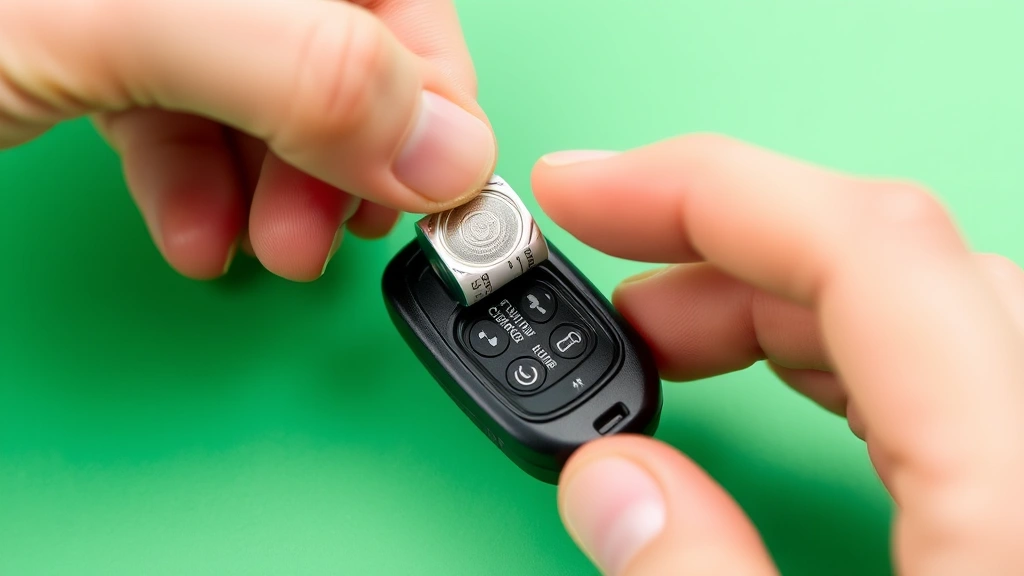
Opening your Mercedes key fob requires patience and gentle handling. Most Mercedes key fobs have a seam running around the perimeter where the two plastic halves connect. This seam is where you’ll insert your flathead screwdriver to gently pry the two halves apart. Start by examining your key fob to locate this seam clearly—it’s usually visible as a thin line around the edges.
Position your flathead screwdriver into the seam and apply gentle, steady pressure. Avoid sudden jerking motions or excessive force, as this could crack the plastic casing or damage the internal components. Work your way around the perimeter, slightly widening the gap as you go. You’ll typically start at one corner and gradually work around the entire edge until the two halves separate.
Some Mercedes key fobs may have a small notch or indentation on one side specifically designed as an entry point for opening. If you notice such a feature, start your screwdriver insertion there, as it requires the least force and causes the least risk of damage. Once the halves begin to separate, you can usually finish separating them by hand, carefully pulling the two pieces apart without forcing them.
Inside the key fob, you’ll find a circuit board with the battery mounted in a small metal holder or clip. The battery sits in a compartment, and you’ll notice the positive (+) side facing upward and the negative (-) side touching the metal contact below. Familiarizing yourself with this layout before attempting removal helps prevent mistakes.
Removing the Old Battery
With your key fob opened, you can now access and remove the old battery. Most Mercedes key fobs use a simple spring-clip mechanism that holds the battery in place. This design makes removal straightforward—you simply need to gently lift or slide the battery out of its holder.
If your key fob uses a clip mechanism, you may need to gently pry the clip upward using your fingernail or the edge of your flathead screwdriver. Apply minimal force—these clips are designed to be user-friendly and shouldn’t require aggressive pressure. As the clip lifts, the battery should release and can be removed by hand.
Some key fobs use a different mechanism where the battery slides out from the side. In these models, you’ll gently slide the battery horizontally out of its compartment. Always move slowly and deliberately to avoid damaging the internal circuitry or the battery holder itself.
Once you’ve removed the old battery, inspect the battery compartment for any corrosion, debris, or damage. If you notice white or blue crystalline deposits (which indicate battery corrosion), gently clean the area using a clean, dry cloth or a cotton swab. Corrosion can interfere with proper battery contact and reduce your key fob’s functionality, so addressing it before installing the new battery is important.
Installing the New Battery Correctly
Installing your new battery requires attention to polarity—ensuring the positive and negative sides are oriented correctly. This is critical because incorrect polarity can damage your key fob’s circuitry and render it non-functional. Before handling the new battery, note that the flat side is typically the negative (-) terminal, while the rounded side is the positive (+) terminal.
Your Mercedes key fob should have the positive side facing upward based on the internal design of the battery compartment. Insert the new battery with the positive side up, sliding it into position until it sits flush with the compartment. You should hear or feel a slight click as the battery settles into place, indicating proper seating.
If your key fob uses a spring clip, the clip will naturally hold the battery in place once it’s seated. Verify that the clip is secure by gently attempting to wiggle the battery—it should not move. If the battery seems loose, you may need to reposition it or check that the clip is properly engaged.
Take a moment to double-check the battery orientation before proceeding. Looking into the open key fob, you should see the rounded side of the battery facing upward toward the interior of the fob. This ensures proper electrical contact with the internal circuitry. Installing the battery backward is the most common mistake, and it completely prevents your key fob from functioning.
Reassembling and Testing Your Key Fob
With the new battery installed, you’re ready to reassemble your key fob. Begin by carefully aligning the two plastic halves, ensuring that any internal components (like the circuit board) are properly positioned and won’t be pinched during closure. Slowly press the halves together, starting at one corner and working your way around the perimeter.
You should feel the two halves snap together with a satisfying click once they’re properly aligned. If you encounter resistance or notice the halves aren’t sitting flush, stop and reopen the fob to check the internal alignment. Forcing misaligned halves together can damage the battery compartment or internal circuitry.
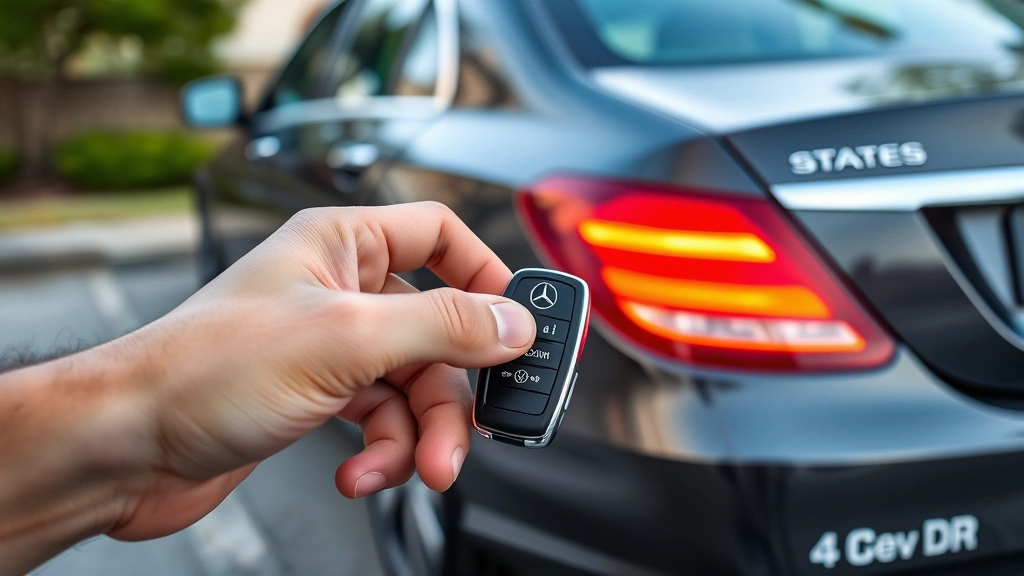
Once reassembled, test your key fob by pressing the lock button. Your Mercedes should respond with the expected locking sound and lights. Test the unlock button as well, and if your vehicle has a trunk release function, test that too. If all functions work normally, you’ve successfully completed the battery replacement.
If your key fob doesn’t respond, first reopen it and verify that the battery is properly seated with correct polarity. Battery connection issues are the most common cause of non-functionality after replacement. If the battery is correctly positioned and your key fob still doesn’t work, you may need to consult the external resources like Mercedes-Benz’s official support or visit a dealership for professional diagnostics.
Troubleshooting Common Issues
Even with careful execution, you might encounter some issues after replacing your key fob battery. Understanding common problems and their solutions helps you resolve them quickly.
Key fob doesn’t work after battery replacement: The most likely cause is incorrect battery polarity or improper seating. Open the fob again and verify the battery is installed with the positive side facing upward. Ensure the battery sits completely flush in its compartment with no gaps.
Key fob works intermittently: Intermittent functionality usually indicates poor battery contact. This can happen if corrosion exists in the battery compartment or if the battery isn’t seated firmly. Clean the compartment thoroughly with a dry cloth and reinstall the battery, ensuring it clicks into place securely.
Key fob is difficult to open or close: If the plastic halves don’t align properly or are difficult to join, you may have damaged the seam or internal components during opening. Carefully inspect the casing for cracks or damage. If you see damage, you may need to replace the entire key fob housing.
Battery leaks or corrosion: If you notice white or blue deposits inside the battery compartment, this indicates the old battery leaked or corroded. Clean this thoroughly with a dry cloth or cotton swab before installing the new battery. Corrosion can prevent proper electrical contact and compromise your key fob’s functionality.
Keys still don’t work after troubleshooting: If you’ve verified correct battery polarity, proper seating, and cleaned the compartment but your key fob still doesn’t function, the issue may be with the internal circuitry rather than the battery. In this case, you’ll need professional help from a Mercedes dealership or authorized service center.
Prevention and Maintenance Tips
Understanding how to maintain your key fob battery helps extend its lifespan and prevents future problems. Most quality lithium coin cell batteries last between three to four years with normal use. However, certain factors can reduce battery life.
Avoid extreme temperatures: Keep your key fob away from direct sunlight, extreme heat, and cold environments. Temperature extremes can reduce battery performance and lifespan. Store your key fob in a cool, dry location when not in use.
Minimize unnecessary button pressing: While using your key fob normally won’t significantly impact battery life, repeatedly pressing buttons without purpose drains the battery faster. Use your key fob intentionally rather than testing it frequently.
Keep your key fob dry: Moisture is a major enemy of key fob batteries. Avoid exposing your fob to water, humidity, or rain whenever possible. If your key fob gets wet, open it immediately and allow it to dry completely before reassembling it. Moisture can cause corrosion that damages the battery compartment and circuitry.
For more complex DIY car repairs and maintenance guidance, consult comprehensive automotive resources. While key fob battery replacement is simple, understanding your vehicle’s broader maintenance needs helps you stay proactive about vehicle care.
Consider keeping spare batteries on hand so you’re never caught without a working key fob. A single CR2032 or CR2025 battery costs just a dollar or two, making this an inexpensive insurance policy against inconvenience. Store spare batteries in a cool, dry location away from metal objects that could cause accidental discharge.
FAQ
How long does a Mercedes key fob battery typically last?
Under normal usage conditions, a quality lithium coin cell battery in a Mercedes key fob typically lasts between three to four years. Heavy users who frequently press buttons may experience shorter battery life, while light users might get four to five years. Battery longevity also depends on storage conditions and environmental exposure.
Can I use any CR2032 battery in my Mercedes key fob?
While most CR2032 batteries are standard, quality varies between manufacturers. Premium brands like Energizer, Duracell, and Panasonic tend to offer better performance and longer lifespan than generic or store-brand batteries. Investing in a quality battery ensures reliable performance and reduces the frequency of replacements.
What should I do if my key fob still doesn’t work after replacing the battery?
First, verify that you installed the battery with correct polarity (positive side up) and that it’s properly seated in its compartment. Open the fob again and check for corrosion or debris in the battery compartment. If the battery is correctly installed and the compartment is clean, the issue may involve internal circuitry damage, requiring professional service from a Mercedes dealership.
Is it safe to replace my key fob battery myself?
Yes, replacing your key fob battery is completely safe when you follow proper procedures. The battery voltage is too low to cause electric shock, and the process doesn’t involve any dangerous chemicals or procedures. The main risks are damaging the plastic casing or installing the battery with incorrect polarity, both of which are easily preventable with careful attention.
Where can I buy replacement batteries for my Mercedes key fob?
Replacement batteries are widely available at pharmacies (CVS, Walgreens), grocery stores, electronics retailers (Best Buy), automotive parts stores (AutoZone, Advance Auto Parts), and online marketplaces (Amazon, eBay). Most retailers stock CR2032 and CR2025 batteries since they’re commonly used in various consumer electronics beyond just car key fobs.
How do I know if my key fob battery is dying?
Signs of a dying key fob battery include reduced range (needing to be closer to your car to work), intermittent functionality (sometimes working, sometimes not), or requiring multiple button presses to achieve results. If you notice any of these symptoms, it’s time to replace the battery. Don’t wait until the fob stops working completely, as you’ll lose convenient access to your vehicle.
Can I replace my Mercedes key fob battery at a dealership instead?
Yes, Mercedes dealerships can replace your key fob battery, but they typically charge a service fee (usually $50-$100) in addition to the battery cost. Since the process is straightforward and requires only inexpensive supplies, doing it yourself saves money and time. Reserve dealership visits for more complex issues that require professional diagnostics or repairs.


