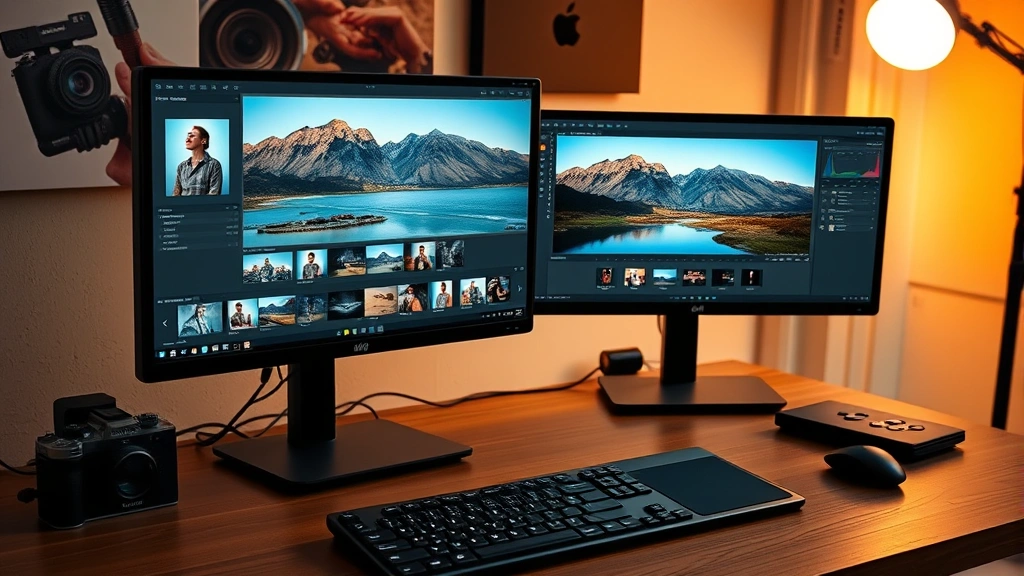
How Long Does It Take to Be a Professional Photography Editor? Expert Tips & Timeline
Becoming a professional photography editor is an achievable goal that doesn’t require the years of traditional education demanded by many careers. Unlike becoming a registered nurse or pursuing other healthcare fields, photography editing can be learned through various pathways—self-study, online courses, bootcamps, or apprenticeships. The timeline varies significantly based on your starting point, dedication level, and learning method, but most aspiring editors can develop professional-grade skills within 6 months to 2 years.
The photography editing industry has evolved dramatically with the rise of digital tools and remote work opportunities. Whether you’re interested in wedding photography post-processing, commercial product editing, or fine art retouching, understanding the realistic timeline and skill requirements will help you chart an effective career path. This comprehensive guide breaks down the learning journey, skill development stages, and practical strategies to accelerate your progress toward professional competency.
Understanding Professional Photography Editing Standards
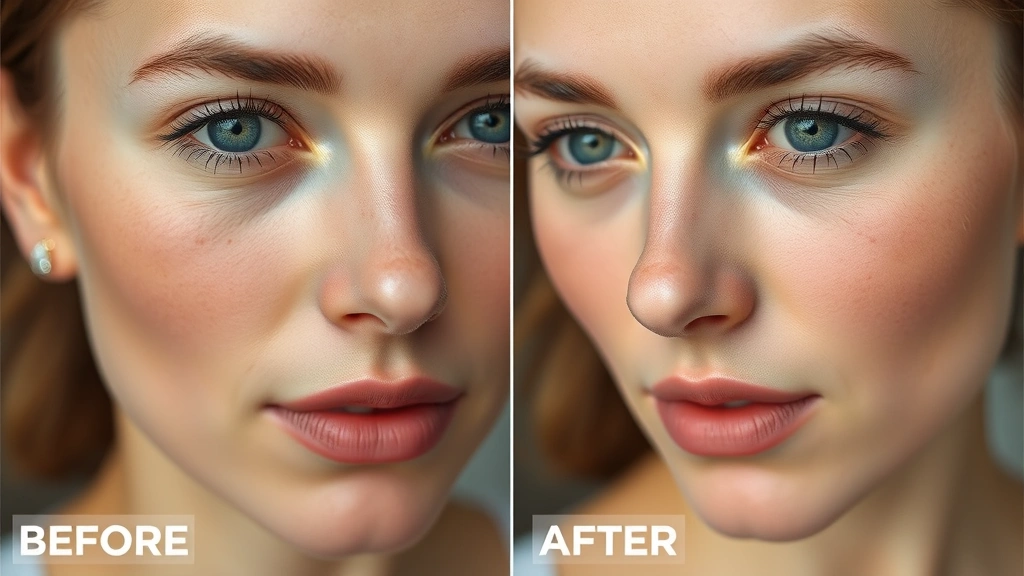
Professional photography editing extends far beyond basic adjustments. It encompasses color grading, retouching, compositing, and specialized techniques that transform raw images into polished final products. The standards vary by specialization—wedding editors prioritize skin tone correction and emotional enhancement, commercial editors focus on product presentation and consistency, while fashion photographers require advanced retouching skills including body sculpting and texture refinement.
To understand what separates amateur from professional work, you need to recognize that clients pay for precision, efficiency, and artistic vision. Professional editors deliver consistent results within tight deadlines while maintaining a cohesive visual style. This requires not just technical proficiency with software, but also understanding color theory, composition principles, and client psychology. The ability to enhance images while maintaining authenticity is crucial—overediting is a common beginner mistake that experienced professionals actively avoid.
Industry standards are maintained through professional organizations and portfolios. Most professional photographers and editing studios follow guidelines established by the Professional Photographers of America, which sets benchmarks for quality and ethics in the field. Familiarizing yourself with these standards early accelerates your learning curve significantly.
Learning Timeline: From Beginner to Professional
Months 1-3: Foundation Building
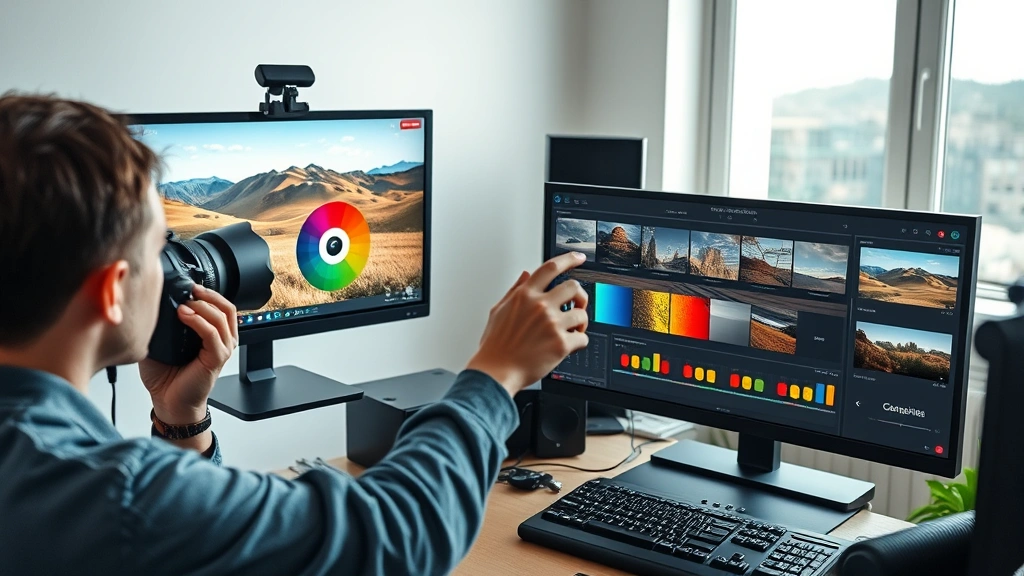
Your first three months should focus on mastering software fundamentals. Most professionals use Adobe Lightroom and Photoshop, though alternatives like Capture One and DaVinci Resolve are increasingly popular. During this phase, expect to spend 10-15 hours weekly learning interface navigation, basic adjustments, and workflow optimization. You’ll learn exposure correction, white balance, cropping, and basic color grading. This foundational period is essential—rushing through it creates knowledge gaps that complicate advanced techniques later.
Dedicate time to understanding your editing software’s architecture. Lightroom’s non-destructive editing approach differs fundamentally from Photoshop’s layer-based system. Learning both perspectives provides flexibility and deeper understanding. Many beginners spend weeks on tutorials covering basic sliders before grasping why these adjustments matter aesthetically or technically.
Months 4-6: Specialized Technique Development
By month four, you’re ready for specialized techniques matching your intended specialization. Wedding editors focus on skin tone correction, white balance consistency across varying lighting conditions, and emotional enhancement through subtle color shifts. Product photographers learn retouching for blemishes, dust removal, and background manipulation. Real estate editors develop skills in perspective correction, HDR processing, and environmental lighting enhancement.
This phase requires 12-20 hours weekly practice with real images, not just tutorial examples. You’ll begin recognizing patterns—certain lighting scenarios, common color casts, recurring client preferences. This pattern recognition is what separates professionals from enthusiasts. You’re developing the visual intuition that allows quick decision-making under deadline pressure.
Months 7-12: Efficiency and Consistency Building
By month seven, your technical skills are solidifying. Now the focus shifts to efficiency and consistency. Professional editors work quickly without sacrificing quality. This requires developing preset systems, batch processing workflows, and decision trees for common scenarios. You’ll learn to edit 100+ images in a day while maintaining consistent quality—something beginners find nearly impossible but professionals do routinely.
During this phase, you’re also building your portfolio with real client work or personal projects. Many aspiring editors struggle here because they lack portfolio pieces. Consider offering discounted services to friends, family, or local photographers building their own portfolios. These early projects become invaluable portfolio entries and provide real-world experience with client communication and deadline management.
Months 13-24: Professional Refinement
By your second year, you’ve likely completed 500+ editing projects. Your workflow is optimized, your style is recognizable, and your speed is professional-grade. This phase involves staying current with software updates, exploring advanced techniques, and potentially specializing further. Many editors pursue advanced retouching certifications, master specific plugins, or develop signature editing styles that differentiate them in competitive markets.
Essential Skills and Software Mastery
Core Software Competencies
Adobe Lightroom remains the industry standard for workflow management and batch processing. Proficiency includes organizing catalogs, creating efficient import/export workflows, and developing presets that maintain consistency across projects. You should be able to edit 50 images in under an hour while maintaining quality—this is a realistic professional benchmark.
Photoshop mastery focuses on advanced retouching, compositing, and creative effects. Essential skills include layer management, mask creation, content-aware fill, frequency separation for skin retouching, and dodge-and-burn techniques. Many professionals spend 2-3 years specifically deepening Photoshop skills, so don’t expect complete mastery quickly.
Specialized software varies by niche. Capture One excels in color grading and tethered shooting for studio work. DaVinci Resolve provides professional color grading capabilities rivaling expensive plugins. Luminar AI and Skylum offer AI-powered editing that accelerates certain workflows. Learning multiple platforms increases your marketability and provides backup options when specific software fails or becomes unavailable.
Color Theory and Grading
Understanding color relationships—complementary colors, color temperature, saturation psychology—separates good editors from great ones. Professional color grading isn’t random adjustment; it’s purposeful manipulation that guides viewer emotion. Warm tones suggest intimacy, cool tones convey calm or melancholy, desaturated looks create vintage aesthetics. Learning to apply these principles consistently requires studying color theory independently of software mechanics.
Many professionals spend months specifically on color grading, watching films to analyze color palettes, studying commercial photography, and practicing grade matching. This deep study accelerates professional-level work significantly. Resources like the International Color Consortium standards provide technical frameworks for color management, though practical application matters more than theoretical knowledge initially.
Retouching Mastery
Retouching ranges from basic blemish removal to advanced body sculpting and environmental manipulation. Professional retouchers often specialize exclusively in retouching, spending years perfecting techniques. Frequency separation—separating texture from color information—is a foundational advanced technique that takes weeks to master fully. Dodge-and-burn techniques for subtle contouring require understanding light behavior and practice with countless images.
Beginners often over-retouch, creating plastic, unnatural results. Professional retouching is subtle—viewers shouldn’t notice the work. This restraint comes from experience and studying professional work extensively. Spend time analyzing retouched images in magazines, fashion photography, and commercial work to develop your eye for what professional-level looks like.
Educational Pathways and Training Options
Self-Directed Learning
YouTube provides free tutorials covering every photography editing technique imaginable. This pathway requires significant self-discipline and critical evaluation—not all tutorials are high-quality, and free content often lacks structured progression. Many successful editors combine YouTube learning with books like “The Photographer’s Guide to Lightroom” and practice with their own images. Timeline: 18-24 months with consistent effort.
Online Courses and Bootcamps
Structured online courses from platforms like Udemy, CreativeLive, or Skillshare provide organized learning paths with instructor feedback. Many courses cost $50-300 and offer lifetime access. More intensive bootcamps like General Assembly’s photography editing programs run 8-12 weeks full-time with higher costs ($3,000-8,000) but accelerated learning. Timeline: 3-6 months for bootcamps, 6-12 months for self-paced courses.
Formal Education Programs
Some universities and community colleges offer photography and digital imaging programs. These typically require 1-2 years of study and cost $5,000-20,000+ but provide comprehensive education, networking opportunities, and credentials. The slower pace allows deeper skill development but may be unnecessary for pure editing work. Timeline: 1-2 years.
Apprenticeships and Mentorships
Working directly with established photographers or editing studios provides real-world experience impossible to gain through courses. Many photographers hire editing assistants at $15-25/hour, providing training on real client projects. This accelerates learning through immediate feedback and exposure to professional workflows. Timeline: 6-12 months to professional competency, though ongoing learning continues.
Building Your Professional Portfolio
Your portfolio is your primary marketing tool. Clients evaluate your work before hiring you, so portfolio quality directly impacts earning potential. Start building early, even with imperfect work—your first portfolio won’t be your last. Many professionals completely rebuild their portfolios every 1-2 years as their skills improve.
Initial portfolio development requires 20-30 strong images showcasing your specialization. If you lack client work, create conceptual projects demonstrating your skills. Shoot test shoots with photographer friends, edit images from photo licensing sites (respecting usage rights), or create before-and-after series from your own photography. Quality matters more than quantity—five exceptional edits outperform fifty mediocre ones.
Present portfolio work professionally through dedicated websites, Instagram accounts, or portfolio platforms like Behance and 500px. Include before-and-afters for retouching work, showing your editing impact. Many clients want to see editing consistency across series rather than isolated impressive images. A 50-image wedding album showing consistent style and quality impresses more than individual show-off shots.
Accelerating Your Professional Development
Several strategies compress the learning timeline without sacrificing quality:
Intensive Practice Blocks
Dedicate 2-4 week periods to specific techniques. Spend an entire week on skin retouching, editing 100+ portraits. Spend the next week on color grading, analyzing and recreating professional color grades. This focused approach builds muscle memory faster than scattered practice. Many professionals credit intensive blocks with their most significant skill jumps.
Peer Learning Communities
Join photography editing groups on Reddit, Facebook, or Discord where professionals share work and provide feedback. Critique from experienced editors accelerates improvement dramatically. Platforms like Fred Miranda Forums host experienced professionals willing to critique beginner work constructively.
Studying Professional Work Extensively
Analyze your target market’s professional work constantly. If pursuing wedding editing, study 100+ professional wedding photography portfolios. If pursuing commercial product editing, analyze how major brands present product photography. This visual education trains your eye to recognize professional standards and develop instinctive editing decisions.
Specialized Certification Programs
Adobe offers official Photoshop and Lightroom certifications through authorized training partners. Passing these exams (typically $165-200) demonstrates technical competency to potential clients. While certification isn’t essential, it provides credibility and structured learning paths. Timeline: 4-8 weeks of focused study.
Investing in Advanced Tools
Premium plugins like Topaz Gigapixel, Skylum Luminar Sky Enhancer, or specialized retouching plugins accelerate certain workflows. While not essential, these tools can save hours on complex tasks. As you progress professionally, selective tool investments become worthwhile. However, master fundamental techniques before investing in specialized software.
Income Potential and Career Advancement
Understanding earning potential helps evaluate whether the timeline investment makes sense financially. Entry-level editing positions start around $25,000-35,000 annually or $15-20/hour freelance. As you build expertise and portfolio, rates increase significantly.
Freelance Rate Progression
Beginning freelancers typically charge $15-25/hour or flat rates of $50-150 per image. After 1-2 years of professional work, experienced editors command $30-50/hour or $200-500 per image. Specialized editors (fashion retouching, architectural, luxury product) charge $50-150/hour or $500-2,000+ per image. Master retouchers working with top-tier clients charge $200+/hour or $5,000+ per project.
Employment Opportunities
Full-time editing positions with photography studios, news organizations, or design agencies typically pay $35,000-55,000 starting, scaling to $60,000-100,000+ with experience. Remote positions have become standard since 2020, significantly expanding employment opportunities. Many editors transition to full-time employment after 1-2 years of freelancing, providing stability while maintaining freelance projects.
Business Development
Many experienced editors eventually start their own editing services, hiring junior editors and building profitable businesses. This requires business skills beyond editing—marketing, client management, financial planning—but offers unlimited income potential. Successful editing businesses generate $100,000-500,000+ annually depending on scale and specialization.
Consider how professional editing relates to other DIY skills and home-based work. Similar to how DIY basement finishing projects require learning specialized skills, photography editing demands deliberate skill development. Like mastering house painting techniques, editing proficiency comes through repetition and attention to detail. These transferable learning principles apply across creative and technical fields.
FAQ
Can I become a professional photographer editor in 3 months?
Unlikely. Three months provides adequate time for software basics and simple editing, but professional work requires 6-12 months minimum. Some intensive bootcamps compress learning into 8-12 weeks, but this demands 40+ hours weekly commitment. Most professionals need 12-24 months to develop the speed, consistency, and creative judgment clients expect.
Do I need formal education to become a professional editor?
No. Most professional editors are self-taught or trained through apprenticeships rather than formal degree programs. Your portfolio matters infinitely more than credentials. That said, formal education provides structure, networking, and potentially faster learning for some people. The choice depends on your learning style and available resources.
What’s the best software to start learning?
Adobe Lightroom is the industry standard and most accessible starting point. Its non-destructive workflow, batch processing capabilities, and intuitive interface make it ideal for beginners. After mastering Lightroom fundamentals (1-2 months), add Photoshop for advanced retouching. This combination covers 90% of professional editing work.
How many hours weekly should I dedicate to learning?
Accelerated learning requires 15-25 hours weekly. This might be full-time work (40 hours) if pursuing bootcamp programs, or evening/weekend study for those working other jobs. Even 8-10 hours weekly produces results, just over longer timelines (24-36 months). Consistency matters more than intensity—regular practice beats occasional marathon sessions.
Can I earn money while learning to edit professionally?
Yes, though carefully. Many beginners offer discounted editing services to photographer friends or start with simple projects (basic color correction, straightforward retouching). This generates income while building portfolio pieces and real-world experience. Avoid underpricing excessively—this trains clients to expect low rates and devalues your work as skills improve.
What specialization should I pursue?
Choose based on interest and market opportunity in your area. Wedding editing offers steady demand but requires speed and consistency. Commercial product editing pays well but requires studio experience and technical knowledge. Fashion retouching is competitive but lucrative. Real estate editing has growing demand. Research local market opportunities before committing to specialization.
How do I transition from hobbyist to professional editor?
Build a professional portfolio with 20-30 strong pieces, create a professional website or Instagram presence, and begin marketing your services. Price competitively based on experience level—underpricing initially accelerates client acquisition. Deliver exceptional work, maintain professional communication, and ask satisfied clients for referrals. Most professionals gain initial momentum through word-of-mouth rather than advertising.
Is freelancing or employment better for starting editors?
Both have advantages. Freelancing offers flexibility and diverse experience but provides inconsistent income. Employment provides stability, structured training, and benefits while limiting autonomy. Many editors start freelancing while learning, then transition to employment for stability, eventually returning to freelancing as experienced professionals. The choice depends on financial needs and learning preferences.


