Power tool batteries are the lifeblood of your workshop, providing the energy needed to tackle everything from simple home repairs to complex construction projects. Understanding how to properly charge these batteries isn’t just about keeping your tools running—it’s about maximizing their lifespan, ensuring safe operation, and maintaining peak performance throughout countless projects. Whether you’re working with lithium-ion, nickel-cadmium, or nickel-metal hydride batteries, proper charging techniques can mean the difference between a battery that lasts for years and one that fails prematurely.
Modern power tool batteries are sophisticated pieces of technology that require specific care and attention during the charging process. From temperature considerations to voltage requirements, every aspect of battery charging how to procedures impacts both immediate performance and long-term durability. By mastering these fundamental principles and implementing best practices, you’ll not only save money on replacement batteries but also ensure your tools are always ready when you need them most.
Understanding Power Tool Battery Types
Before diving into charging procedures, it’s crucial to understand the different types of batteries commonly found in power tools. Each battery chemistry has unique characteristics that affect charging requirements, performance capabilities, and longevity. The three primary types you’ll encounter are lithium-ion (Li-ion), nickel-cadmium (NiCd), and nickel-metal hydride (NiMH) batteries.
Lithium-ion batteries have become the industry standard due to their superior energy density, lightweight design, and minimal memory effect. These batteries can be charged at any time without waiting for complete discharge, making them incredibly convenient for daily use. They typically operate at voltages ranging from 10.8V to 60V and feature built-in protection circuits that prevent overcharging and overheating.
Nickel-cadmium batteries, while less common in newer tools, are still found in many older power tools and budget models. These batteries are known for their durability and ability to deliver consistent power throughout their discharge cycle. However, they suffer from memory effect, requiring occasional complete discharge cycles to maintain optimal capacity. Understanding this characteristic is essential for proper battery projects and maintenance.
Nickel-metal hydride batteries serve as a middle ground between Li-ion and NiCd technologies. They offer better energy density than NiCd batteries while being more environmentally friendly, but they’re also more sensitive to temperature extremes and require more careful handling during charging.
Essential Safety Precautions Before Charging
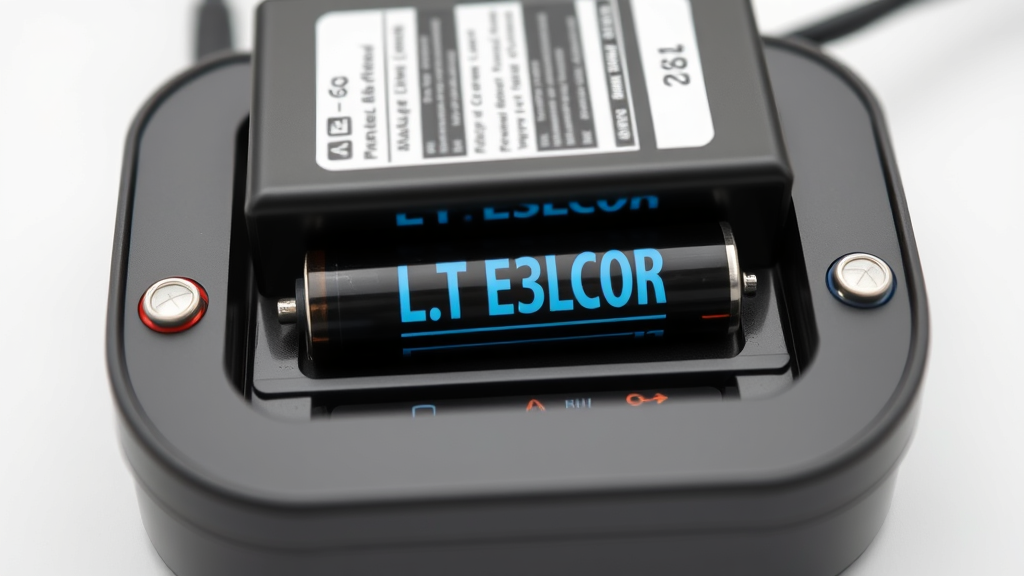
Safety should always be your top priority when working with power tool batteries. Before beginning any charging procedure, inspect the battery pack for signs of damage, including cracks in the housing, corrosion on terminals, or any signs of swelling. A damaged battery should never be charged, as it poses serious safety risks including fire, explosion, or toxic gas release.
Ensure your charging area is well-ventilated and free from flammable materials. While modern batteries are generally safe, charging can generate heat and potentially release gases, especially if the battery is damaged or defective. Keep a fire extinguisher nearby and never leave batteries charging unattended for extended periods.
Always use the manufacturer’s recommended charger for your specific battery model. Using incompatible chargers can result in improper voltage delivery, overcharging, or inadequate charging, all of which can damage the battery or create safety hazards. The Consumer Product Safety Commission emphasizes the importance of using only approved charging equipment to prevent accidents.
Temperature considerations are critical for safe charging. Most batteries should be charged at room temperature, typically between 50°F and 86°F (10°C to 30°C). Charging a cold battery can cause lithium plating in Li-ion cells, while charging a hot battery can accelerate degradation and potentially cause thermal runaway.
Proper Charging Techniques and Methods
The fundamental principle of battery charging how to procedures involves understanding the charging cycle and following manufacturer specifications. Modern smart chargers automatically adjust charging parameters based on battery type, capacity, and current charge level, but understanding the process helps you identify potential issues and optimize battery performance.
For lithium-ion batteries, the charging process typically follows a constant current/constant voltage (CC/CV) profile. Initially, the charger applies a constant current until the battery reaches approximately 4.2 volts per cell, then switches to constant voltage mode while the current gradually decreases. This process ensures complete charging without overcharging, which can damage the battery’s internal structure.
When charging nickel-based batteries (NiCd and NiMH), the process is different. These batteries use a constant current charging method with delta-V detection to prevent overcharging. The charger monitors voltage changes to detect when the battery is fully charged, then typically switches to a trickle charge mode to maintain the charge level.
One of the most important aspects of proper charging is timing. While modern chargers prevent overcharging, it’s still good practice to remove batteries from the charger once charging is complete. This helps prevent unnecessary heat buildup and reduces stress on the battery cells. Most quality chargers will indicate when charging is complete through LED indicators or audible signals.
For optimal results, charge batteries when they reach approximately 20-30% capacity rather than waiting for complete discharge. This practice, particularly important for lithium-ion batteries, helps maintain cell balance and prevents deep discharge conditions that can permanently damage the battery.
Creating Optimal Charging Conditions
Environmental conditions play a crucial role in battery charging effectiveness and safety. Temperature control is perhaps the most critical factor, as both extreme heat and cold can negatively impact the charging process and battery longevity. Ideally, batteries should be charged in a temperature-controlled environment between 60°F and 75°F (15°C to 24°C) for optimal results.
Humidity levels also matter, particularly for older battery types. High humidity can cause corrosion on battery terminals and charging contacts, leading to poor electrical connections and inefficient charging. Maintain humidity levels below 60% when possible, and ensure charging areas have adequate air circulation.
The charging surface should be stable, level, and heat-resistant. Avoid placing batteries on metal surfaces that could conduct heat or create electrical shorts. Instead, use wooden workbenches, plastic surfaces, or dedicated charging stations designed for power tool batteries. This is especially important for battery backup systems used in security applications.
Electrical considerations include using a stable power source free from voltage fluctuations. Power surges or brownouts can damage both the charger and battery, so consider using a surge protector or uninterruptible power supply (UPS) for sensitive charging equipment. This protection becomes even more important when working on projects like network setup where consistent power is crucial.
Troubleshooting Common Charging Issues
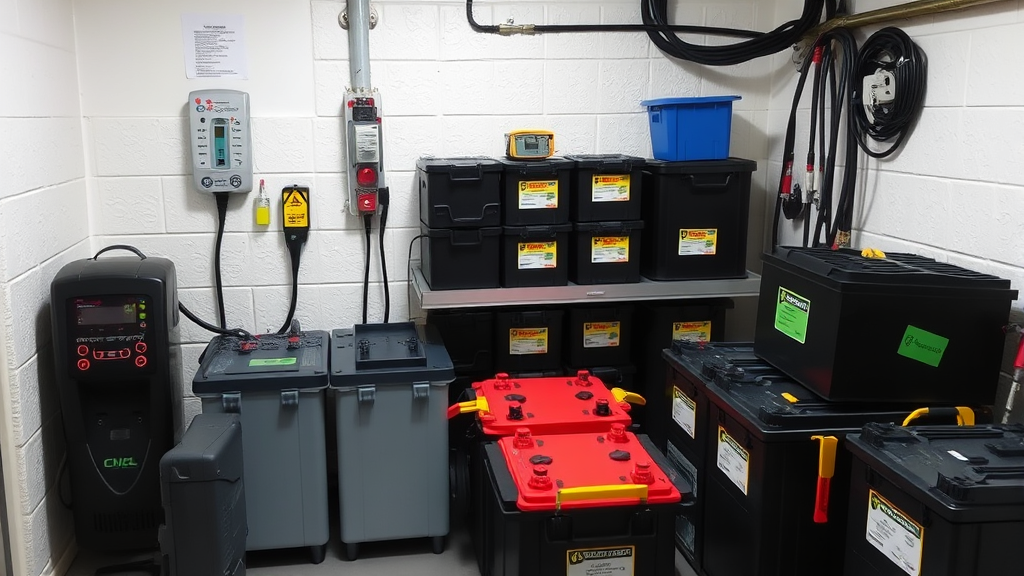
Even with proper procedures, you may occasionally encounter charging problems. Understanding common issues and their solutions can save time and prevent unnecessary battery replacement. One of the most frequent problems is a battery that won’t charge at all, which can result from several factors including deeply discharged cells, dirty terminals, or internal cell damage.
If a battery won’t accept a charge, first clean the charging terminals with a dry cloth or fine sandpaper to remove corrosion or debris. Poor electrical contact is often the culprit behind charging failures. For batteries that have been stored for extended periods, the protection circuit may have activated to prevent damage from deep discharge. Some chargers have a “wake up” or “boost” mode specifically designed to revive deeply discharged batteries.
Slow charging can indicate several issues, including aging battery cells, incorrect charger settings, or temperature-related problems. If a battery that previously charged quickly now takes significantly longer, it may be approaching the end of its useful life. However, before replacing the battery, verify that you’re using the correct charger and that ambient temperature is within the recommended range.
Overheating during charging is a serious concern that requires immediate attention. If a battery becomes excessively hot during charging, disconnect it immediately and allow it to cool completely before investigating the cause. Overheating can result from internal cell damage, overcharging, or charging at excessive current rates. The Department of Energy provides comprehensive guidelines on battery safety and thermal management.
Inconsistent runtime after charging often indicates cell imbalance within the battery pack. This condition is more common in older batteries and can sometimes be addressed through reconditioning cycles available on advanced chargers. However, severely imbalanced cells may require professional service or battery replacement.
Battery Maintenance and Storage Best Practices
Proper maintenance extends battery life and ensures consistent performance throughout the battery’s service life. Regular cleaning of battery terminals and charger contacts prevents corrosion and maintains good electrical connections. Use a soft, dry cloth or fine-grit sandpaper to remove any buildup, but avoid using water or solvents that could damage the battery housing or electronics.
Storage conditions significantly impact battery longevity, especially for lithium-ion batteries. Store batteries in a cool, dry place away from direct sunlight and extreme temperatures. For long-term storage, maintain batteries at approximately 40-60% charge level, as this reduces stress on the cells while preventing deep discharge conditions.
Rotation practices help ensure even wear across multiple batteries. If you own several batteries for the same tool, rotate their use rather than consistently using one until it’s depleted. This practice helps maintain similar aging patterns across your battery collection and ensures you always have a backup ready for use.
Regular exercise prevents battery degradation from extended inactivity. Even stored batteries should be used and recharged every few months to maintain cell chemistry and prevent capacity loss. This is particularly important for RC aircraft applications where battery performance directly impacts flight safety.
Documentation helps track battery performance and identify declining units before they fail completely. Keep records of purchase dates, charging cycles, and any performance issues you notice. Many modern batteries have cycle counters built into their management systems, accessible through compatible chargers or diagnostic tools.
Advanced Tips for Extending Battery Life
Beyond basic maintenance, several advanced techniques can significantly extend battery life and improve performance. Understanding charge cycles and their impact on battery longevity helps you make informed decisions about when and how to charge your batteries. A complete charge cycle occurs when you use 100% of the battery’s capacity, but this doesn’t necessarily mean going from 100% to 0% in a single use.
Partial charging strategies can actually benefit lithium-ion batteries. Rather than waiting for complete discharge, charging when the battery reaches 20-30% remaining capacity reduces stress on the cells and can significantly increase the total number of cycles the battery will provide. This approach is particularly beneficial for applications similar to automotive maintenance where consistent tool availability is crucial.
Temperature management during use affects charging efficiency and battery life. Allow hot batteries to cool before charging, and avoid using tools in extreme temperature conditions when possible. Cold weather reduces battery capacity temporarily, but the capacity returns to normal when the battery warms up. However, charging a cold battery can cause permanent damage.
Load management involves using appropriate tools for specific tasks to avoid unnecessary battery stress. Using a high-capacity battery for light-duty tasks or vice versa can impact both performance and longevity. Match your battery choice to the demands of your project for optimal results.
Firmware updates for smart batteries and chargers can improve charging algorithms and add new features. Check manufacturer websites regularly for updates, especially for newer battery systems that may receive performance improvements through software updates. According to This Old House, staying current with firmware updates can significantly improve battery management capabilities.
Frequently Asked Questions
How long should I charge my power tool battery for the first time?
For the initial charge, follow the manufacturer’s specific instructions, which typically recommend charging for the full indicated time even if the charger shows completion earlier. Most modern lithium-ion batteries don’t require special first-time charging procedures, but older nickel-based batteries may benefit from a complete initial charge cycle. Generally, allow 1-4 hours for the first charge, depending on battery capacity and charger specifications.
Can I leave my battery on the charger overnight?
Modern smart chargers with automatic shutoff features make overnight charging relatively safe, but it’s not recommended as a regular practice. Extended connection to the charger can generate unnecessary heat and may gradually degrade battery performance. Remove batteries from the charger once charging is complete, typically indicated by a green LED or other completion signal.
Why does my battery get hot while charging?
Some heat generation during charging is normal, especially during the initial charging phase when current flow is highest. However, excessive heat that makes the battery uncomfortable to touch indicates a problem. Causes include damaged cells, overcharging, charging in high ambient temperatures, or using an incompatible charger. Allow the battery to cool and inspect for damage before attempting to charge again.
How often should I completely discharge my battery?
For lithium-ion batteries, complete discharge is unnecessary and can actually harm battery life. Charge when the battery reaches 20-30% capacity for optimal longevity. Nickel-cadmium batteries may benefit from occasional complete discharge cycles to prevent memory effect, but this should only be done monthly or less frequently. Nickel-metal hydride batteries fall between these two extremes.
What should I do if my battery won’t hold a charge?
A battery that won’t hold charge may have reached the end of its useful life, but first try a reconditioning cycle if your charger offers this feature. Clean all terminals, ensure proper charger compatibility, and verify that the battery hasn’t been deeply discharged for extended periods. If these steps don’t resolve the issue, the internal cells have likely degraded beyond recovery and require replacement.
Is it safe to use third-party chargers for my power tool batteries?
While third-party chargers may be less expensive, using manufacturer-recommended chargers ensures proper voltage, current, and safety protocols specific to your battery type. Generic chargers may lack essential safety features or provide incorrect charging parameters that can damage batteries or create safety hazards. The small savings rarely justify the potential risks and warranty implications.
How can I tell when my battery needs to be replaced?
Signs that indicate battery replacement include significantly reduced runtime, inability to hold charge, excessive heat during use or charging, physical damage to the housing, and age exceeding 3-5 years depending on usage patterns. Performance degradation below 70% of original capacity typically indicates it’s time for replacement. Keep track of charging cycles and performance metrics to make informed replacement decisions.