How to Address a Postcard: Expert Tips for Perfect Formatting
Whether you’re sending vacation greetings, marketing materials, or personal messages, knowing how to properly address a postcard is essential for ensuring it reaches its destination. Postcards have been a beloved communication method for over a century, and while digital messaging has become prevalent, the charm and tangibility of a physical postcard remain unmatched. However, many people struggle with the correct formatting and placement of addresses on these compact cards.
The United States Postal Service (USPS) maintains specific guidelines for postcard addressing to ensure efficient sorting and delivery. Understanding these standards not only increases the likelihood that your postcard arrives promptly but also demonstrates professionalism and respect for postal regulations. This comprehensive guide will walk you through every aspect of addressing a postcard correctly, from recipient information placement to return address formatting and special considerations for international mail.
USPS Postcard Specifications and Size Requirements
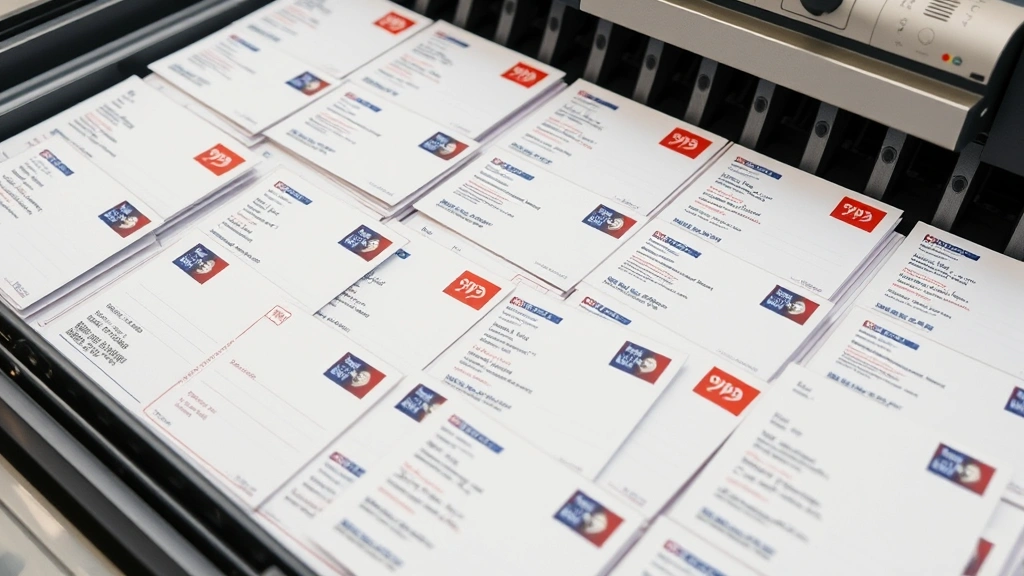
Before addressing your postcard, it’s crucial to understand the USPS postcard specifications that determine whether your card will be accepted for mailing. According to postal regulations, a standard postcard must measure between 3.5 by 5 inches and 4.25 by 6 inches. Cards smaller than these dimensions may be classified as letters and require first-class postage, while oversized cards could incur additional fees.
The thickness of your postcard matters as well. USPS requires postcards to be at least 0.007 inches thick but no more than 0.016 inches. This specification ensures that the cards can be processed through automated sorting machines without jamming or causing damage to the equipment. If you’re creating custom postcards, whether for DIY home security promotional purposes or personal use, verifying these dimensions before printing is essential.
The postcard format typically divides the card into two distinct areas: the message and address side, and the image or design side. On the address side, you’ll have roughly half the card dedicated to addressing information and the other half available for a brief message. Understanding this layout helps you plan where to place your recipient and return addresses effectively.
Recipient Address Placement and Formatting
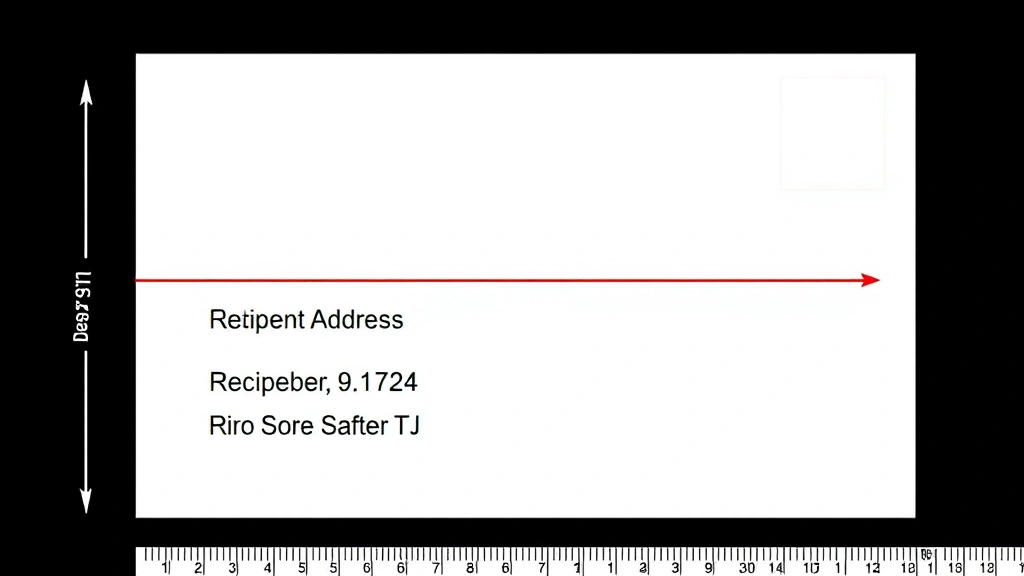
The recipient address must be placed on the right side of the postcard’s address side, following specific USPS formatting guidelines. The address should begin approximately one inch from the right edge and one-half inch from the bottom of the card. This placement ensures that postal machines can read the address clearly during the sorting process.
Your recipient’s address should follow this standard format:
- Line 1: Recipient’s name (first and last)
- Line 2: Street address or P.O. Box
- Line 3: City, State ZIP Code
Each line should be typed or printed clearly in black or dark blue ink. Handwritten addresses are acceptable but must be legible. The font size should be at least 10 points to ensure readability by postal sorting machines. For professional or business postcards, using a sans-serif font like Arial or Helvetica improves clarity and ensures consistent spacing.
The recipient’s name should appear on the first line in standard capitalization. If you’re sending to a business, include the recipient’s title on the same line as their name, or on a separate line if space permits. For example: “John Smith, Manager” or place the title on the line below the name. The street address comes next, including the house number, street name, and apartment or suite number if applicable.
When writing the city, state, and ZIP code, use the official two-letter state abbreviation approved by USPS. For example, use “CA” for California rather than spelling it out. The ZIP code should be placed after the state with at least one space between them. If you have the recipient’s ZIP+4 code (the extended nine-digit ZIP code), including it can expedite delivery, though it’s not mandatory.
Return Address Guidelines
Your return address should be placed in the upper left corner of the postcard’s address side. The USPS requires that return addresses be positioned between one-half inch and one inch from both the top and left edges of the card. This placement ensures that the return address doesn’t interfere with postal barcodes or address blocks.
Format your return address similarly to the recipient address, using three lines:
- Line 1: Your name
- Line 2: Your street address
- Line 3: Your city, state, and ZIP code
The return address should be in the same font size and style as the recipient address, typically 10 points or larger. Many senders choose to use a slightly smaller font for the return address, such as 8 or 9 points, to differentiate it from the recipient address. However, ensure that even a smaller return address remains clearly legible.
Including a return address is particularly important for postcards, as mail carriers use this information to send undeliverable postcards back to the sender. Without a return address, your postcard could be discarded if it cannot be delivered for any reason. This is especially critical if you’re sending marketing materials or important announcements, as discussed in our guide on DIY projects and communication methods.
Addressing International Postcards
Sending postcards internationally requires additional formatting considerations and adherence to international postal standards. The Universal Postal Union (UPU) has established guidelines for international mail that all member countries follow, ensuring consistent handling and delivery worldwide.
For international postcards, the recipient’s address should be formatted as follows:
- Line 1: Recipient’s name
- Line 2: Street address
- Line 3: City and postal code
- Line 4: Country name (in capital letters)
The country name must be on the final line and written in capital letters. For example, “UNITED KINGDOM” or “JAPAN.” This helps postal workers in the destination country quickly identify where the postcard should be routed. When addressing to countries that use different addressing formats, research the specific country’s postal standards to ensure proper delivery.
International postcards typically require different postage than domestic cards. As of 2024, international postcard postage varies depending on the destination country’s postal rate. Check the USPS international rates page for current pricing and any special handling requirements.
Some countries have specific requirements for postcard messaging and address placement. For instance, certain countries may require that addresses be written in the local language or using specific postal abbreviations. When sending to non-English-speaking countries, consider including the address in both English and the destination country’s language to avoid confusion.
Postal Codes and ZIP Code Placement
Accurate postal code placement is critical for efficient mail sorting and delivery. In the United States, the ZIP code should always appear after the state abbreviation on the final address line. The standard format is: City, ST ZIP Code, with at least one space separating the state abbreviation from the ZIP code.
The ZIP code consists of five digits in the basic format. However, the ZIP+4 format includes four additional digits separated by a hyphen. For example, a complete ZIP+4 code might look like “12345-6789.” While including the ZIP+4 code is optional, it significantly speeds up mail processing and delivery. If you have access to the recipient’s ZIP+4 code, including it is highly recommended for time-sensitive or important postcards.
When addressing postcards for business purposes, such as those related to home improvement projects or renovations, accurate ZIP codes ensure your message reaches the correct demographic or service area. Incorrect or incomplete ZIP codes can result in delayed delivery or misrouting to similar addresses.
You can verify correct ZIP codes and ZIP+4 codes using the USPS ZIP Code Lookup tool. This free online resource allows you to search by address and returns the correct ZIP code and ZIP+4 information. Taking a moment to verify this information before mailing prevents costly delays and ensures your postcard reaches its intended recipient promptly.
Common Mistakes to Avoid
Even experienced mailers sometimes make addressing errors that can delay or prevent postcard delivery. Understanding common mistakes helps you avoid them and ensures your postcards arrive on schedule.
Incorrect Address Format: The most frequent error is improper address formatting. Always use the three-line format with name, street address, and city-state-ZIP code. Deviating from this standard format can confuse postal sorting machines and human mail handlers.
Illegible Handwriting: While handwritten addresses are acceptable, many people write too small or in cursive that’s difficult to read. Postal machines and workers struggle with illegible addresses, leading to delays or misdelivery. If you must handwrite addresses, use clear, large print in black or dark blue ink.
Missing Return Address: Omitting your return address means undeliverable postcards cannot be returned to you. Always include a complete return address in the upper left corner of the address side.
Incorrect State Abbreviations: Using full state names instead of two-letter USPS abbreviations can confuse sorting machines. Always use official abbreviations such as “NY” for New York or “TX” for Texas.
Smudged or Faded Ink: Addresses printed with faded or low-quality ink may not be readable by postal machines. Use high-quality printing and ink to ensure clarity. Avoid using pencil or light-colored inks that may fade or become illegible during transit.
Overcrowded Address Block: Cramming too much information into the address area makes it difficult to read. Stick to essential information only: name, street address, city, state, and ZIP code. Save additional details or messages for the designated message area.
Placing Address on Wrong Side: Some people mistakenly place the address on the image side of the postcard. Always place addressing information on the designated address side, leaving the image side for your message and design.
Special Handling and Additional Services
USPS offers several special services that can enhance your postcard mailing, particularly for business communications or important announcements related to home improvement projects or other DIY endeavors.
Certified Mail: For postcards requiring proof of delivery, certified mail service adds tracking and delivery confirmation. This service costs extra but provides peace of mind when sending important documents or notices.
Return Receipt Requested: This service provides confirmation that your postcard was delivered to the recipient. The recipient must sign for the postcard, and you receive a return receipt confirming delivery.
Delivery Confirmation: A more affordable alternative to certified mail, delivery confirmation provides tracking information and confirms when your postcard was delivered, though it doesn’t require a signature.
Addressing for Apartment Buildings: When addressing postcards to apartment buildings, include the apartment number on the street address line. The format should be: “123 Main Street, Apt 4” or “123 Main Street #4.” Some buildings use suite numbers or unit designations; use whatever format the building uses.
Business Mail Entry: If you’re mailing large quantities of postcards for business purposes, consider using USPS Business Mail Entry, which offers discounted rates for bulk mailings. This service requires proper formatting and sorting of postcards before submission.
For those interested in DIY projects and home maintenance, postcards can effectively communicate with contractors, suppliers, or service providers. Proper addressing ensures these important communications reach their destinations reliably.
When preparing postcards for mailing, organize them by ZIP code to take advantage of potential discounts and improve delivery efficiency. This organization method is particularly useful for large mailings and demonstrates professionalism to postal workers handling your cards.
FAQ
What is the correct postcard size for USPS mailing?
Standard USPS postcards must measure between 3.5 by 5 inches and 4.25 by 6 inches. Cards outside these dimensions may be charged as letters or rejected entirely. Thickness should be between 0.007 and 0.016 inches.
Can I handwrite addresses on postcards?
Yes, handwritten addresses are acceptable as long as they are legible and follow proper formatting guidelines. Use black or dark blue ink and write clearly in print rather than cursive for best results with automated sorting machines.
Where should the return address go on a postcard?
The return address should be placed in the upper left corner of the address side, positioned between one-half inch and one inch from both the top and left edges. This placement prevents interference with postal barcodes.
Do I need to include a ZIP+4 code on postcards?
While not required, including the ZIP+4 code significantly speeds up mail sorting and delivery. You can find ZIP+4 codes using the USPS ZIP Code Lookup tool on their official website.
What postage do international postcards require?
International postcard postage varies by destination country. Check current rates on the USPS website or contact your local post office for specific international postcard rates.
Can I send a postcard without a return address?
While technically possible, omitting the return address means undeliverable postcards cannot be returned to you. Including a return address is strongly recommended to prevent loss of your postcard.
What should I do if I’m unsure about the recipient’s address format?
Use the USPS address verification tools available online or contact your local post office. Proper address verification prevents delays and ensures your postcard reaches the correct destination. For business mailings, consider using professional address verification services.


