How to Cancel Starz: Step-by-Step Guide by Experts
Canceling a streaming subscription doesn’t have to be complicated, but many users find themselves confused about the process, potential fees, and what happens to their account after cancellation. Whether you’re looking to trim your entertainment budget or simply no longer watch content on the platform, understanding the proper cancellation procedure ensures you won’t be charged unexpectedly. This comprehensive guide walks you through every step of canceling your Starz subscription, regardless of how you signed up or which device you’re using.
Just like planning a home security system requires attention to detail, canceling your streaming service demands the same methodical approach. We’ll cover direct cancellations through Starz, cancellations through third-party platforms like Amazon Prime Video and Apple TV, payment-related considerations, and how to handle common issues that arise during the process.
Understanding Your Starz Subscription Type
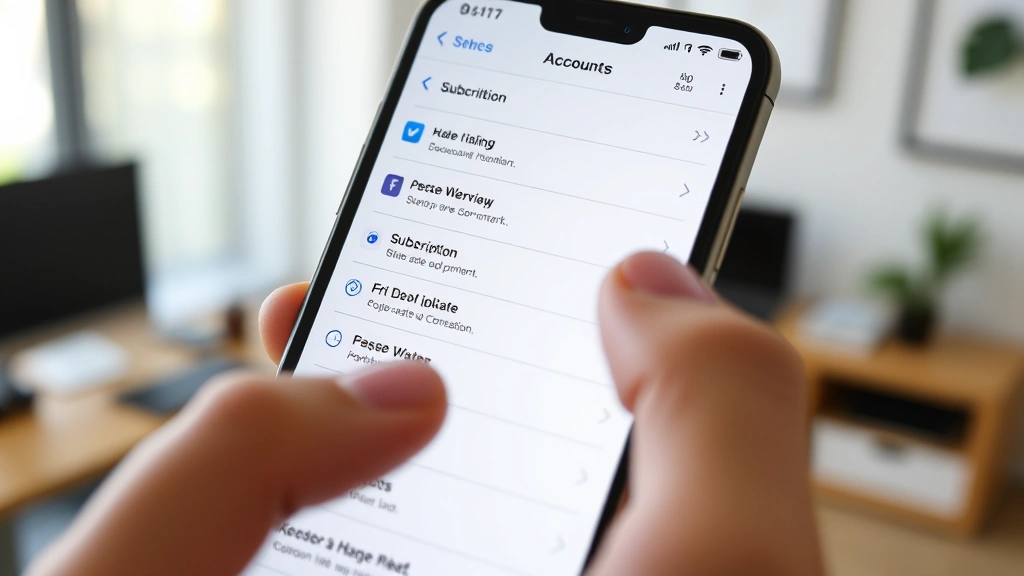
Before you initiate the cancellation process, it’s essential to identify exactly how you’re subscribed to Starz. The cancellation method differs significantly depending on whether you purchased directly from Starz or through a bundled service. Understanding your subscription type prevents unnecessary confusion and ensures you cancel through the correct channel.
Direct Starz Subscription: If you signed up directly through the Starz website or mobile app and pay Starz directly, you’ll follow the direct cancellation process. This typically means you created a Starz account with your email address and payment information.
Third-Party Bundle Subscriptions: Many users subscribe to Starz through Amazon Prime Video, Apple TV, Roku Channel, or other platforms. These bundled subscriptions require cancellation through the host platform rather than directly through Starz. This is a critical distinction because canceling through the wrong channel might not actually terminate your subscription.
Cable or Satellite Bundle: Some traditional cable and satellite providers include Starz as part of their entertainment packages. If this applies to you, you’ll need to contact your cable provider directly to remove the service from your account.
Check your most recent billing statement or email confirmation to determine your subscription type. The invoice should clearly indicate whether you were charged by Starz, Amazon, Apple, or another service provider. This simple verification step saves considerable time and prevents accidental recurring charges.
How to Cancel Starz Direct Subscription
Canceling a direct Starz subscription through their official platform is straightforward when you follow the correct steps. The process typically takes less than five minutes and can be completed on any device with internet access.
Desktop or Web Browser Method:
- Visit the official Starz website and log into your account using your email address and password
- Click on your account icon or profile name, typically located in the upper right corner of the page
- Select “Account Settings” or “My Account” from the dropdown menu
- Look for a section labeled “Subscription,” “Billing,” or “Manage Subscription”
- Find the option that says “Cancel Subscription” or “Cancel My Membership”
- Follow the prompts, which may ask you to confirm your cancellation and provide feedback about why you’re leaving
- Look for a confirmation message or email confirming your cancellation
Mobile App Method:
- Open the Starz mobile app on your iOS or Android device
- Tap the menu icon (usually three horizontal lines) or your profile picture
- Navigate to “Settings” or “Account”
- Select “Subscription” or “Manage Subscription”
- Choose “Cancel Subscription” and confirm your choice
- Watch for a confirmation notification within the app
After completing these steps, you should receive a confirmation email within minutes. This email serves as proof of cancellation and is valuable to keep for your records. If you don’t receive a confirmation email within one hour, log back into your account to verify the cancellation went through successfully.
Important Timing Consideration: Starz typically processes cancellations immediately, but your access remains active until the end of your current billing cycle. If you’re currently mid-month, you’ll retain access until that billing period ends. This is standard practice across most streaming services and means you’re not paying for unused time.
Canceling Starz Through Third-Party Platforms
If you subscribed to Starz through a bundled service, you must cancel through that platform’s system. Attempting to cancel directly through Starz when you subscribed through Amazon, Apple, or another service won’t work and may leave you with active charges.
Amazon Prime Video Bundle Cancellation:
- Go to Amazon.com and sign into your account
- Navigate to “Account & Lists” and select “Your Account”
- Click on “Prime Membership” or “Memberships & Subscriptions”
- Find the Starz add-on subscription in your active subscriptions list
- Click “Manage” or the three-dot menu next to Starz
- Select “Cancel Channel” or “Cancel Subscription”
- Confirm the cancellation when prompted
Apple TV Channels Cancellation:
- On your Apple device, open the Apple TV app or Settings
- Navigate to your account settings
- Select “Subscriptions”
- Find Starz in your active subscriptions
- Tap “Edit Subscription” or the Starz listing
- Choose “Cancel Subscription”
- Confirm your cancellation
Roku Channel Cancellation:
- Open the Roku Channel app or visit the web platform
- Sign into your account
- Go to “My Subscriptions” or “Account Settings”
- Locate Starz in your subscriptions list
- Select “Cancel” next to the Starz subscription
- Follow the confirmation prompts
Each platform handles cancellations slightly differently, but the general principle remains consistent: you must cancel through the platform where you’re being charged. If you’re unsure which platform is billing you, check your credit card statement or the email confirmation you received when subscribing.
What Happens After Cancellation
Understanding what occurs after you submit your cancellation request prevents confusion and disappointment. Unlike some services that terminate access immediately, Starz typically allows continued viewing through the end of your billing period.
Access Timeline: Your subscription remains active and fully functional until 11:59 PM on your final billing date. If you cancel mid-month, you’ll retain complete access to all Starz content until that billing cycle concludes. This policy applies whether you canceled directly or through a third-party platform.
Payment Confirmation: After cancellation, you should not receive any additional charges. Monitor your credit card or payment method for the next billing cycle to ensure no erroneous charges appear. If unexpected charges occur after cancellation, contact Starz customer support immediately with your cancellation confirmation email.
Account Reactivation: Your account information and watchlist remain stored even after cancellation. If you decide to resubscribe in the future, you can log back into your account and resume your subscription. Your viewing history and saved shows will still be available, similar to how you might track project progress on a basement finishing project.
Device Access: You can continue watching Starz on all previously authorized devices until your subscription expires. There’s no need to log out or remove the app from your devices before the cancellation date arrives.
Avoiding Common Cancellation Mistakes
Many users encounter problems during the cancellation process by making preventable mistakes. Learning about these common pitfalls helps you navigate the system smoothly.
Mistake #1: Confusing Subscription Types The most frequent error involves canceling through the wrong channel. If you subscribed through Amazon Prime Video but attempt to cancel directly through Starz, your cancellation won’t process correctly. Always verify your subscription source before proceeding with cancellation. Check your billing statement to confirm whether you’re being charged by Starz, Amazon, Apple, or another provider.
Mistake #2: Not Saving Confirmation Details After canceling, immediately save or screenshot your confirmation email. This documentation proves you initiated cancellation and provides a reference if billing issues arise. Keep this email for at least 60 days after your final billing date.
Mistake #3: Canceling Too Early in the Month Some users cancel immediately when they decide to stop watching, then forget they still have access for the remainder of their billing period. While this isn’t necessarily a mistake, timing your cancellation near the end of your billing cycle ensures you get maximum value from your final payment.
Mistake #4: Failing to Monitor Post-Cancellation Charges After cancellation, carefully review your next billing statement. While rare, billing errors do occur. If you notice a charge after your cancellation date, contact Starz customer support within 30 days to dispute the charge.
Mistake #5: Not Checking for Auto-Renewal Settings Before canceling, verify that auto-renewal is enabled (it should be by default). If auto-renewal is somehow disabled, your account may have already expired. This prevents confusion about why your cancellation request seems to have no effect.
Mistake #6: Canceling Payment Method Without Canceling Subscription Some users think deleting their payment method from the platform will cancel their subscription. This rarely works and often results in failed payment attempts and account suspension rather than cancellation. Always use the official cancellation process.
FAQ
Will I lose my watchlist and viewing history after canceling?
No, your account information persists after cancellation. Your watchlist, viewing history, and saved shows remain accessible if you resubscribe in the future. You can log back into your account at any time and find everything exactly as you left it.
Can I get a refund if I cancel mid-month?
Starz’s standard policy does not offer refunds for partial months. However, you retain full access to the service through the end of your billing period, so you’re not losing access to content you’ve paid for. Some promotional subscriptions may have different refund policies, so check your original promotion terms.
How long does cancellation take to process?
Direct Starz cancellations process immediately, though confirmation may take a few minutes to appear in your account. Third-party platform cancellations depend on that platform’s processing speed but typically complete within hours. You should receive a confirmation email within 24 hours regardless of your subscription type.
What if I can’t find the cancel button in my account?
If the cancellation option isn’t visible, try these troubleshooting steps: clear your browser cache and cookies, try accessing from a different browser, or use the mobile app instead of the web version. If you still can’t locate the cancellation option after trying multiple approaches, contact Starz customer support for assistance.
Can I cancel my subscription if I’m on a promotional rate?
Yes, promotional subscriptions can be canceled at any time. However, canceling a promotional subscription means you lose access to the discounted rate. If you resubscribe later, you’ll likely pay the regular subscription price unless another promotion is available. Check your promotion terms for any specific cancellation restrictions.
Will Starz charge me if I don’t cancel and just stop using it?
Yes, absolutely. Your subscription will continue to renew automatically on your billing date until you officially cancel. Inactivity does not trigger automatic cancellation, so you must manually cancel to stop charges. This is why it’s crucial to follow the proper cancellation steps outlined in this guide.
What should I do if I was charged after canceling?
Contact Starz customer support immediately with your cancellation confirmation email. Most billing disputes can be resolved within 30 days. Provide them with the date you canceled, your confirmation email, and proof of the erroneous charge from your payment statement.
Can I cancel through customer support instead of online?
Yes, you can contact Starz customer support by phone or email to request cancellation. However, the online process is faster and provides immediate confirmation. If you prefer speaking with a representative, Starz customer support can assist with cancellation, though wait times may apply.
How do I cancel if I forgot my password?
Use the “Forgot Password” link on the Starz login page to reset your password. Follow the email instructions to create a new password, then log in and proceed with the standard cancellation process. Alternatively, contact customer support to verify your identity and process cancellation manually.
Will canceling Starz affect my Amazon Prime membership?
No, canceling the Starz add-on channel through Amazon Prime Video does not affect your Prime membership. You’ll simply lose access to Starz content while maintaining all other Prime benefits. The two services are separate, and canceling one doesn’t impact the other.


