How to Change Battery in Subaru Key Fob: Complete Expert Guide
Your Subaru key fob is one of the most frequently used items in your daily driving routine, but many owners overlook the importance of maintaining it properly. When your key fob starts responding slowly or stops working altogether, the culprit is often a dead or dying battery. The good news is that replacing a Subaru key fob battery is one of the easiest DIY car repairs you can perform at home, requiring minimal tools and just a few minutes of your time.
Unlike taking your vehicle to a dealership for a simple battery replacement—which can cost $50 to $100—you can complete this task yourself for just a few dollars. This comprehensive guide walks you through every step of the process, from identifying the correct battery type to safely installing it in your Subaru key fob. Whether you own a recent model or a vehicle from several years ago, these instructions apply to most Subaru key fobs manufactured in the last two decades.
Understanding Your Subaru Key Fob Battery
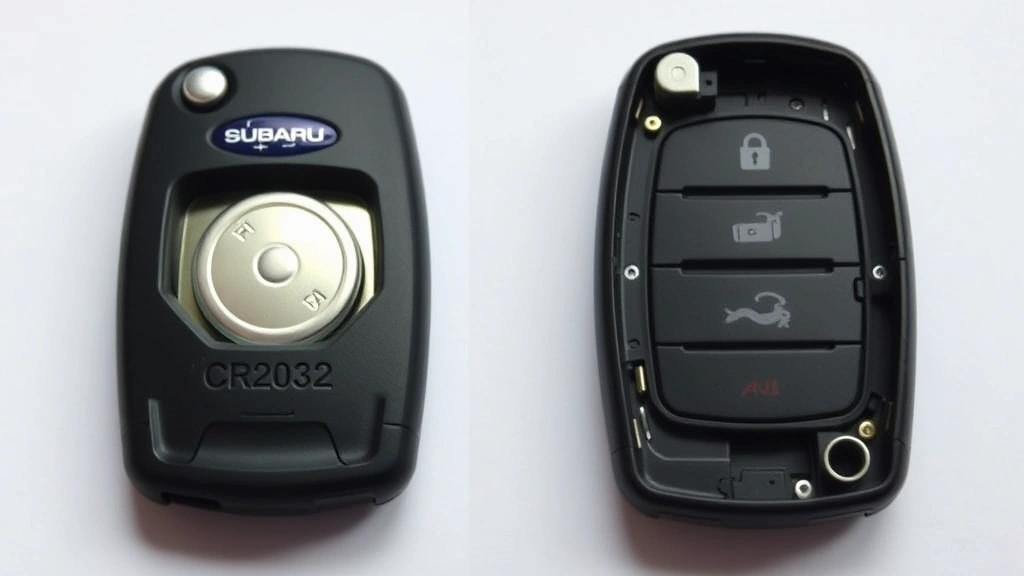
Subaru key fobs typically use coin cell batteries, most commonly the CR2032 model, though some older models may use CR2025 or CR2016 variations. The CR2032 is a 3-volt lithium battery measuring 20 millimeters in diameter and 3.2 millimeters thick. Understanding which battery your specific Subaru model requires is the first critical step in this process. You can find this information in your vehicle’s owner’s manual, on the battery itself once you open the fob, or by checking Subaru’s official website with your vehicle identification number (VIN).
The battery type designation breaks down simply: the “CR” indicates it’s a chromium manganese dioxide battery, the first two numbers (20) represent the diameter in millimeters, and the last two numbers (32) indicate the thickness in tenths of a millimeter. These batteries typically last between three to four years under normal usage conditions, though factors like climate, frequency of use, and exposure to extreme temperatures can affect longevity. Most modern Subaru key fobs will alert you to a low battery by showing reduced range or requiring multiple button presses before responding.
It’s worth noting that genuine Subaru replacement batteries may cost slightly more than generic alternatives, but they often provide better reliability and longer lifespan. When purchasing replacement batteries, look for reputable manufacturers like Energizer, Duracell, or Panasonic to ensure quality and performance. Avoid extremely cheap batteries from unknown manufacturers, as they may have inconsistent performance or shorter functional lifespans.
Tools and Materials You’ll Need
One of the greatest advantages of this DIY project is that you need virtually no specialized tools. In fact, most people have everything required already at home. Here’s what you’ll need to gather before starting:
- Replacement battery (CR2032 or appropriate type for your model) – Purchase from any pharmacy, electronics store, or online retailer
- Small flathead screwdriver or coin – A butter knife, flathead screwdriver, or even a coin works perfectly for prying open the fob
- Clean cloth or paper towel – Useful for cleaning any debris from inside the fob housing
- Small container – Optional but helpful for organizing small screws or components
- Owner’s manual – Reference material specific to your Subaru model year
That’s truly all you need. Unlike more complex automotive maintenance tasks, key fob battery replacement doesn’t require specialized equipment, safety gear beyond basic precautions, or professional-grade tools. The simplicity of this task makes it perfect for first-time DIYers who want to build confidence tackling vehicle maintenance.
Before you begin, find a clean, well-lit workspace where you won’t lose small components. A kitchen table or workbench is ideal. Avoid working in dim lighting, as the battery and internal components are small and easily dropped or misplaced. Keep your workspace organized and free of clutter that might accidentally knock components away.
Step-by-Step Battery Replacement Instructions
Step 1: Locate the Seam on Your Key Fob
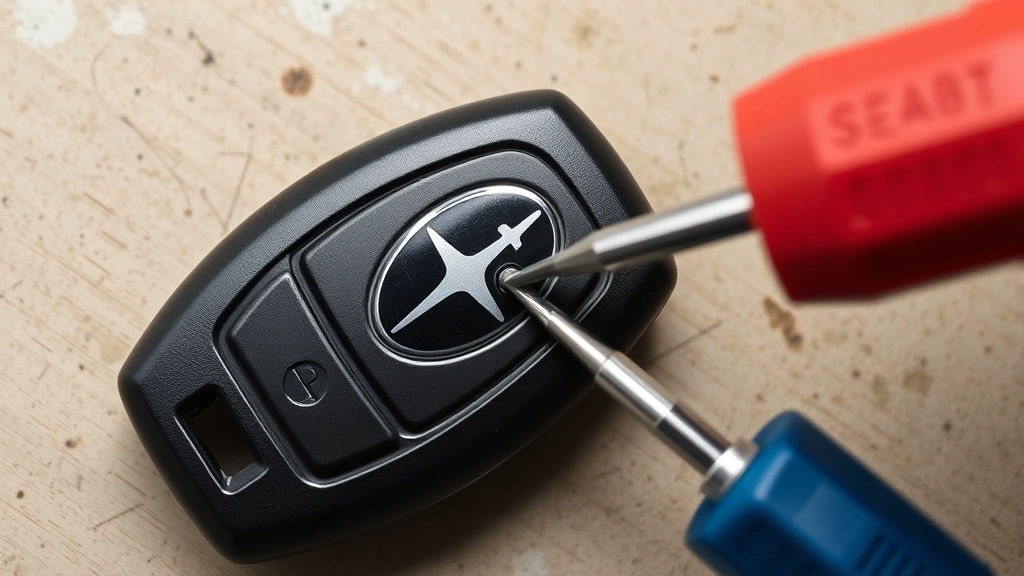
Examine your Subaru key fob carefully and locate the seam where the two plastic halves meet. Most Subaru key fobs have a horizontal seam running around the middle of the device. Some models may have a vertical seam or a slightly different design, but the principle remains the same. This seam indicates where you’ll insert your flathead screwdriver or coin to separate the two halves. Take a moment to identify this seam clearly before applying any pressure.
Step 2: Carefully Separate the Two Halves
Insert your flathead screwdriver or coin into the seam, applying gentle, steady pressure. Avoid sudden jerking motions, as this can crack the plastic housing. Work your way around the seam incrementally, gently prying at multiple points rather than forcing it open at one location. The two halves should separate with moderate pressure—if you’re encountering significant resistance, stop and reassess. Sometimes rotating the fob to access the seam from different angles makes separation easier. Be patient; rushing this step risks damaging the plastic casing.
Step 3: Identify the Battery Location
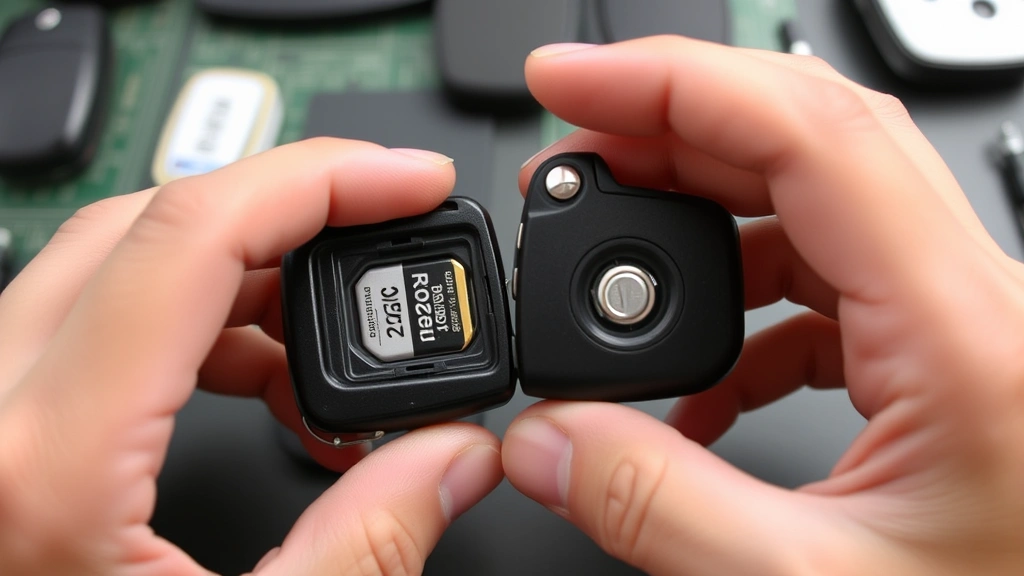
Once the fob is open, you’ll see the internal circuitry and the battery, which is typically a small, shiny, coin-shaped component. The battery usually sits in a plastic holder or battery compartment. Note the orientation of the battery—which side is facing up (the positive or negative terminal). This orientation matters when installing the new battery. Most batteries have a + symbol on the positive side. Take a moment to observe and remember this orientation before removing the old battery.
Step 4: Remove the Old Battery
Gently pry out the old battery using your screwdriver or by carefully lifting it with your fingernail. Don’t apply excessive force, as you don’t want to damage the battery compartment or internal circuitry. Once removed, set the old battery aside safely. If the battery appears swollen, leaking, or damaged in any way, this explains why your key fob stopped working and confirms you made the right decision to replace it.
Step 5: Clean the Battery Compartment
Before installing the new battery, take a moment to clean the battery compartment with a clean, dry cloth. Remove any dust, corrosion, or debris that may have accumulated. If you notice any white or blue-green crusty material (indicating battery corrosion), gently clean it away with a dry cloth. Corrosion can interfere with electrical contact and reduce battery performance. This simple maintenance step ensures optimal performance from your new battery.
Step 6: Install the New Battery
Insert your new battery into the compartment, ensuring it’s oriented correctly with the positive terminal facing up (matching the orientation of the old battery). Press gently until the battery sits flat in its holder. You should hear or feel a slight click as it settles into place. Don’t force it; gentle pressure is all that’s needed. Verify the battery is secure and won’t move if you gently tilt the fob.
Step 7: Reassemble the Key Fob
Align the two plastic halves of the key fob and press them together firmly. Start at one end and work your way around, applying even pressure. You should hear a satisfying click as the two halves snap back together. The fob should feel solid and intact, with no gaps or loose areas. If gaps remain, disassemble and check that the battery is seated correctly and nothing is blocking proper closure.
Step 8: Test Your Key Fob
Now for the moment of truth—test your key fob by pressing the lock and unlock buttons from various distances. Start close to your vehicle and gradually increase distance to verify normal range functionality has been restored. Press each button multiple times to confirm responsive operation. If the fob works perfectly, congratulations! You’ve successfully completed the replacement. If it doesn’t respond, refer to the troubleshooting section below.
Troubleshooting Common Issues
Key Fob Still Doesn’t Work After Battery Replacement
If your key fob remains unresponsive after installing a new battery, several issues could be responsible. First, verify you installed the battery with correct polarity—the positive terminal should face up. If you’re uncertain, remove the battery and try reinstalling it with the opposite orientation (though this is rare with modern key fobs). Second, confirm you purchased the correct battery type for your specific Subaru model. Third, check that the battery is making proper contact with the compartment terminals. Sometimes debris or corrosion prevents good electrical contact. Remove the battery, clean the compartment again thoroughly, and reinstall.
If the fob still doesn’t work, the problem likely lies elsewhere—perhaps the internal circuitry is damaged, or the fob experienced water damage. In these cases, you’ll need to visit a Subaru dealership for professional diagnosis and potential replacement. However, this is rare, and most non-functional fobs simply need a fresh battery.
Buttons Feel Sticky or Unresponsive
If buttons feel sticky after reassembly, you may have reassembled the fob incorrectly or something is blocking button movement. Disassemble again and verify nothing is obstructing the button mechanisms. Ensure the rubber button pad is seated correctly within the fob housing. Clean any dust or debris from button mechanisms with a dry cloth.
Fob Housing Won’t Close Properly
If the two halves won’t snap together securely, the battery may not be seated flat in its compartment. Remove the battery, verify it’s clean and undamaged, and reinstall ensuring it lies completely flat. Alternatively, check that the rubber button pad is positioned correctly—misalignment here can prevent proper closure.
Prevention and Maintenance Tips
Now that you’ve successfully replaced your key fob battery, implement these preventive measures to extend the life of your new battery and maintain optimal functionality:
- Avoid Extreme Temperatures – Store your key fob away from direct sunlight, extreme heat, and cold. High temperatures drain batteries faster, while extreme cold reduces their effectiveness. Keep your fob in a climate-controlled environment when possible.
- Protect from Moisture – While most Subaru key fobs have some water resistance, avoid submerging them or exposing them to heavy moisture. If your fob gets wet, allow it to air dry completely before using it. Water can corrode internal components and reduce battery lifespan.
- Minimize Unnecessary Button Presses – Each button press uses battery power. Avoid pressing buttons repeatedly or testing the fob excessively. Press only when necessary to lock or unlock your vehicle.
- Keep Away from Electronics – Strong electromagnetic fields from certain electronics can interfere with key fob operation. Avoid storing your fob near computers, televisions, or other high-powered electronic devices for extended periods.
- Use a Protective Case – Consider using a protective key fob case or pouch to shield it from physical damage, drops, and environmental exposure. These inexpensive accessories significantly extend fob lifespan.
- Replace Before Complete Failure – Don’t wait until your key fob completely stops working before replacing the battery. As soon as you notice reduced range or sluggish response, replace the battery. This prevents being locked out of your vehicle unexpectedly.
Regular maintenance of your key fob ensures reliable operation and prevents frustrating situations where you can’t access your vehicle. These simple preventive steps cost nothing and require minimal effort.
For additional automotive maintenance guidance, check out our comprehensive resource on how to add oil to your car, which covers another essential maintenance task. If you’re interested in learning about similar battery replacement procedures for other vehicle makes, our guide on changing battery in Mercedes key fobs follows nearly identical steps.
Frequently Asked Questions
How often should I replace my Subaru key fob battery?
Most Subaru key fob batteries last three to four years under normal usage. However, this varies based on climate, frequency of use, and storage conditions. Replace the battery as soon as you notice reduced range or sluggish response, rather than waiting for complete failure. Keeping a spare battery at home ensures you’re never caught off guard by a dead fob.
Can I use any CR2032 battery, or does it need to be a Subaru brand?
Any quality CR2032 battery will work in your Subaru key fob. You don’t need an expensive Subaru-branded battery. Reputable manufacturers like Energizer, Duracell, and Panasonic produce reliable CR2032 batteries at reasonable prices. Avoid extremely cheap generic batteries, as they often have shorter lifespans and inconsistent performance. The important factor is that the battery is the correct type (CR2032 or whatever your specific model requires) and from a reputable manufacturer.
Is it dangerous to handle key fob batteries?
CR2032 batteries are safe to handle with bare hands. They’re small, low-voltage devices that pose no electrical shock risk. However, avoid ingesting batteries or allowing them near small children or pets. If a battery is visibly damaged, leaking, or swollen, handle it carefully and dispose of it properly. Most retailers that sell batteries accept old batteries for recycling.
What if I can’t get my key fob open?
If you’re having difficulty separating the two halves, try different angles and apply gentle, steady pressure rather than sudden force. Sometimes rotating the fob or trying insertion points around the entire seam makes separation easier. If you’re still struggling, visit a Subaru dealership or local locksmith—they can open it without risk of damage. Avoid excessive force, which can crack the plastic housing and create additional problems.
Can a dead key fob battery affect my vehicle’s performance?
A dead key fob battery only affects the remote locking and unlocking functionality. It won’t impact your vehicle’s engine, electrical systems, or ability to start and drive. However, you won’t be able to lock or unlock your vehicle remotely, which is inconvenient and potentially a security concern. You can still physically unlock your door with the key blade hidden inside most Subaru key fobs.
Should I reprogram my key fob after replacing the battery?
No, reprogramming is not necessary after a simple battery replacement. The fob’s programming remains intact in its internal memory even when the battery is removed. Once you install a fresh battery, the fob should work immediately without any additional programming steps. If your fob doesn’t work after battery replacement, the issue isn’t programming-related.
Where can I buy replacement CR2032 batteries?
CR2032 batteries are available at virtually any pharmacy, grocery store, supermarket, electronics retailer, and online marketplace. Walmart, Target, CVS, Walgreens, Best Buy, and Amazon all stock quality CR2032 batteries at competitive prices. Buying in bulk is economical if you have multiple key fobs or want to keep spares on hand. Prices typically range from $3 to $8 per battery depending on brand and quantity.


