How to Clean Xbox Series X: Gamer-Recommended Tips for Peak Performance
Your Xbox Series X is a significant investment, and keeping it clean isn’t just about aesthetics—it’s essential for maintaining optimal performance and extending the console’s lifespan. Dust accumulation can compromise cooling efficiency, leading to thermal throttling and potential hardware failure. This comprehensive guide walks you through professional cleaning techniques that gamers and tech enthusiasts recommend, ensuring your console stays in pristine condition.
Whether you’re a casual player or competitive gamer, understanding proper cleaning procedures protects your device from overheating and performance degradation. We’ll cover everything from external maintenance to safe internal cleaning methods, plus preventative strategies that keep your Xbox Series X running smoothly for years to come.
Why Regular Cleaning Matters for Your Console
The Xbox Series X features a sophisticated cooling system designed to manage heat generated during intensive gaming sessions. However, when dust accumulates on vents and internal components, this system becomes compromised. Dust acts as an insulator, trapping heat and forcing your console to work harder to maintain safe operating temperatures.
Regular cleaning prevents several critical issues: thermal throttling (where the system reduces performance to cool down), unexpected shutdowns during gameplay, and accelerated component degradation. Professional gamers and content creators emphasize that preventative maintenance is significantly cheaper than repair or replacement. The Xbox Series X safety guidelines recommend maintaining clear ventilation around your console.
Beyond performance, a clean console simply runs quieter. Dust-clogged fans work harder and create more noise during intense gaming sessions. If you notice your console sounding like a jet engine during gameplay, dust accumulation is likely the culprit. Establishing a regular cleaning routine—ideally monthly for heavy users—keeps your system whisper-quiet and performing at peak efficiency.
Essential Tools and Materials You’ll Need
Before you begin cleaning, gather the right supplies. Using inappropriate materials can damage sensitive electronics, so quality matters. Here’s what professional technicians recommend:
- Compressed air canister: The gold standard for electronics cleaning. Look for models specifically designed for dust removal with a narrow straw attachment. Avoid compressed air with propellant additives.
- Microfiber cloths: These capture dust without scratching surfaces. Never use paper towels or rough fabrics that can leave residue.
- Isopropyl alcohol (90% or higher): For stubborn grime on the exterior. Always dilute slightly and apply to cloth, never directly to the console.
- Soft-bristled brush: A small electronics brush helps dislodge dust from vent grilles without damaging them.
- Anti-static wrist strap: Essential if you’re opening your console. Static discharge can permanently damage internal components.
- Thermal paste (optional): Only needed if you’re completely disassembling your console. Standard cleaning doesn’t require this.
Avoid household cleaners, solvents, or abrasive materials. These can damage the console’s exterior coating and compromise internal electronics. Quality matters—invest in proper electronics cleaning supplies.

External Cleaning: The Safe Starting Point
Start with external cleaning before tackling internal components. This approach minimizes risk and addresses the most visible dust accumulation. Always power off your console and unplug it from the power outlet—never clean a powered device.
Cleaning the exterior surfaces: Use a slightly dampened microfiber cloth to gently wipe down the console’s top, sides, and bottom. The Xbox Series X’s matte black finish is prone to fingerprints and dust attraction. For stubborn marks, apply a tiny amount of isopropyl alcohol to your cloth (not directly to the console) and gently rub the affected area. Pay special attention to seams and edges where dust accumulates.
Addressing the ventilation grilles: The top and bottom vents are dust magnets. Use your soft-bristled brush to gently sweep debris from the grille openings. Brush in one direction to move dust away from the console. Follow with short bursts of compressed air, keeping the canister upright and the straw about two inches from the grille. This combination dislodges and removes trapped particles effectively.
Controller and cable maintenance: While you’re cleaning, don’t forget your controllers and cables. Controllers accumulate dust and skin oils around buttons and triggers. Wipe them with a slightly damp microfiber cloth. For cable connections, use compressed air to remove dust from ports and connectors. This prevents connection issues and maintains signal integrity.
External cleaning typically takes 10-15 minutes and should be performed monthly for heavy users. This simple routine prevents dust from migrating deeper into your system and maintains that premium appearance.
Internal Cleaning and Dust Removal
Internal cleaning requires more care but is manageable for users comfortable with basic electronics maintenance. If you’re hesitant, professional cleaning services are available, though they cost significantly more than DIY approaches.
Safe disassembly process: Before opening your console, ground yourself using an anti-static wrist strap connected to a metal part of your case or a grounding mat. The Xbox Series X doesn’t require complete disassembly for basic cleaning—accessing the fan and heatsink area is sufficient. Consult official teardown guides or iFixit’s detailed Xbox Series X guide for step-by-step visual instructions.
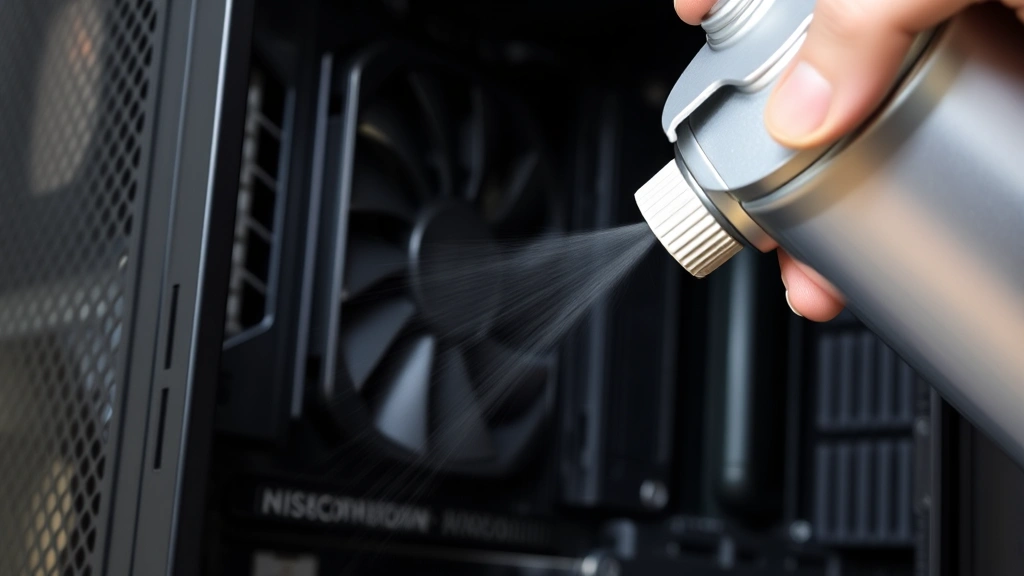
Remove the side panel by gently sliding it away from the console. Once open, you’ll see the fan assembly and heatsink. This is where significant dust accumulation occurs. Use compressed air in short bursts to dislodge dust from the fan blades and heatsink fins. Work methodically from one side to the other, allowing dust to fall naturally away from components.
Fan and heatsink attention: The fan is particularly important—dust on blades reduces airflow efficiency and increases noise. Hold the fan still while blowing compressed air across the blades. Never spin the fan by hand or with air pressure, as this can damage bearings. For heatsink fins, use gentle compressed air bursts perpendicular to the fin orientation, allowing air to pass through rather than compressing dust deeper into the fins.
If dust is stubborn, a soft-bristled brush can help, but use extreme care around delicate components. Never touch circuit boards, capacitors, or other electronics directly—always use tools. After cleaning, allow 10-15 minutes for any residual moisture from compressed air to evaporate before reassembling.
Internal cleaning should be performed every 6-12 months depending on your environment. Dusty homes or rooms with pets require more frequent maintenance. Consider this similar to maintaining other tech investments—like DIY car cleaning routines that preserve vehicle value and performance.

Preventing Future Dust Buildup
Proactive prevention is more effective than reactive cleaning. Strategic placement and environmental controls significantly reduce dust accumulation rates.
Optimal console placement: Position your Xbox Series X in a well-ventilated area with at least 4 inches of clearance on all sides, especially around vents. Avoid enclosed entertainment centers without ventilation—these create heat pockets that stress cooling systems. Never place your console in direct sunlight, near windows, or in humid environments, as these conditions accelerate dust attraction and component degradation.
Environmental controls: Maintain moderate room humidity (30-50%) and temperature (65-75°F). Extreme conditions stress both your console and its power supply. If your gaming space is particularly dusty—perhaps near an open window or in a room with heavy foot traffic—consider using an air purifier. This reduces overall airborne particles and benefits your console and your health.
Protective covers: When not in use, cover your console with a breathable dust cover designed for electronics. Avoid plastic covers that trap moisture. A simple cotton or microfiber cover prevents significant dust accumulation during idle periods.
Cable management: Organize cables neatly to prevent dust from collecting around connection points. Dust-clogged ports can cause intermittent connection issues or complete connection failures. Use cable ties or management clips to keep wires organized and away from vents.
These preventative measures reduce cleaning frequency and extend your console’s operational life. Think of it as investing in longevity—similar to how proper furniture maintenance preserves value and appearance over time.
Troubleshooting Common Console Issues
Understanding common problems helps you identify when cleaning is necessary and when professional service is required.
Overheating and thermal shutdowns: If your console suddenly shuts down during gameplay, overheating is the primary suspect. Perform external and internal cleaning as described above. Verify your placement allows proper ventilation. If shutdowns continue after cleaning, your thermal paste may need replacement or internal components may require professional inspection.
Fan noise and audible grinding: Loud fan noise usually indicates dust accumulation on fan blades. Clean your console following internal cleaning procedures. If noise persists with a grinding quality rather than typical whirring, the fan bearing may be failing and requires professional replacement.
Connection and performance issues: Intermittent controller disconnections or network issues sometimes stem from dusty ports. Use compressed air to clean all ports and connection points. Ensure cables are fully inserted and not damaged. If issues continue, the ports themselves may require professional repair.
Visual artifacts or frame rate drops: These typically indicate thermal throttling from overheating. Clean your console thoroughly and verify ventilation. Monitor your console’s temperature if possible using developer options. Persistent performance issues despite cleaning may indicate failing internal components requiring professional diagnosis.
Regular cleaning prevents most of these issues entirely. Gamers who maintain monthly cleaning routines rarely experience thermal-related problems. The investment of 15-30 minutes monthly prevents hours of troubleshooting and potential costly repairs.
FAQ
How often should I clean my Xbox Series X?
Heavy users should clean externally monthly and internally every 6-12 months. Casual players may extend this to every 3-6 months for internal cleaning. Dusty environments require more frequent maintenance. Monitor your console’s temperature and noise levels as indicators—increased heat or fan noise signals cleaning time.
Can I use a vacuum cleaner on my Xbox Series X?
Avoid vacuums entirely. They generate static electricity that can permanently damage electronics and create sudden pressure changes that force dust deeper into components. Compressed air is far superior for electronics cleaning.
Is it safe to open my Xbox Series X myself?
Yes, if you follow proper procedures. Use an anti-static wrist strap, ground yourself adequately, and follow official teardown guides. Microsoft doesn’t void warranties for cleaning-related disassembly, but document your work. If you’re uncomfortable with electronics, professional cleaning services are available through authorized repair centers.
What’s the best compressed air product for console cleaning?
Look for electronics-grade compressed air specifically designed for dust removal. Avoid propellant-heavy products or compressed air with cleaning additives. Quality brands designed for camera and computer cleaning work best. Canned air typically provides 30+ minutes of use—sufficient for thorough console cleaning.
Should I replace thermal paste during cleaning?
Not necessary during routine maintenance cleaning. Thermal paste only requires replacement if you completely disassemble the heatsink from the processor, which standard cleaning doesn’t require. If your console overheats even after thorough cleaning and you’re comfortable with advanced disassembly, thermal paste replacement may help, but consult professional guides first.
Can dust damage my Xbox Series X permanently?
Yes, prolonged dust accumulation causes permanent damage. Overheating degrades capacitors and other components, potentially causing total system failure. Regular cleaning prevents this entirely. Think of it like maintaining other investments—maintaining your home security systems prevents costly problems.
What temperature should my Xbox Series X run at?
Normal operating temperatures range from 60-70°C during gameplay. Temperatures consistently above 80°C indicate cooling issues, usually from dust accumulation or poor ventilation. If temperatures remain high after cleaning, professional service may be necessary.


